Your first 7 days on Threadify: what to do, what to skip, and what actually matters
New to Threadify? Here's exactly what to do in your first 7 days to get real value — step by step, no fluff.

Here's what most people do when they sign up for a new tool: they poke around for 20 minutes, don't know where to start, close the tab, and never come back.
If you've done that with Threadify — or you're about to sign up and don't want to — this article is for you.
I'm going to tell you exactly what matters in your first 7 days, and what you can ignore until later.
How to get started with Threadify
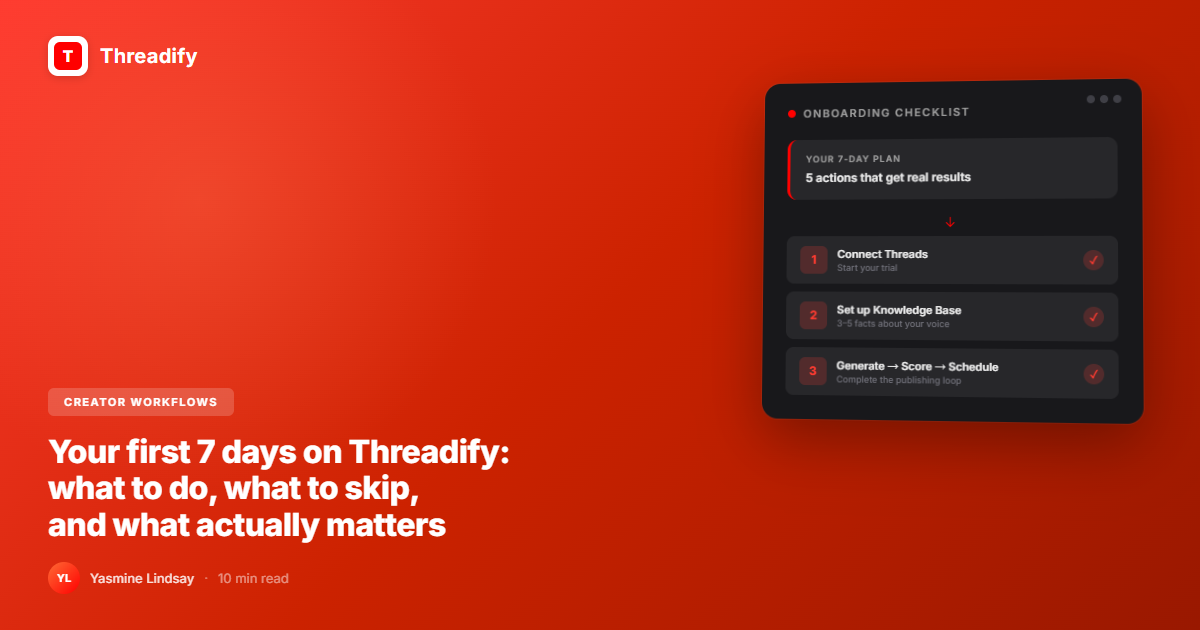
Getting real value from Threadify comes down to 5 actions. If you do all 5 in the first week, you'll know whether the tool fits your workflow. If you only half-start, you'll never actually know.
Connect your Threads account: Everything else requires it. Do this first.
Set up your Knowledge Base with at least 3 facts: This is the step most people skip. It's also the one that determines whether your drafts sound like you or like a robot.
Generate your first draft: Takes 90 seconds. The goal isn't a perfect output — it's seeing the tool in action.
Score it before you publish: Run the draft through the Threadify Score to get algorithm feedback before the algorithm itself weighs in.
Schedule one post: This is where the system locks in. Scheduling makes Threadify part of your routine, not a one-time experiment.
That's the whole onboarding. You don't need to explore every feature. You don't need to watch a 45-minute tutorial. You need to do those 5 things.
The short answer: Threadify's 7-day trial starts from when you connect your Threads account (not when you sign up). The fastest path to value: connect Threads, add 3+ facts to your Knowledge Base, generate one draft, score it, and schedule it. According to Threadify's user data (March 2026), 57% of active paid users have a Knowledge Base set up — and those who don't have significantly lower publishing rates and higher churn risk. The KB is the setup step that actually predicts whether you'll stick.
Day 1: Connect your Threads account
When you first sign up for Threadify, your trial is technically pending. The 7-day clock doesn't start until you connect your Threads account.
This matters for two reasons:
You're not burning free time by waiting — but you're not starting it either
Features like scheduling, analytics, and AI drafting don't activate without a connected account
Go to Settings and connect via the OAuth flow. It takes about 90 seconds. Do this before anything else.
Day 2: Set up your Knowledge Base (don't skip this)
This is the step that separates creators who get real value from Threadify and creators who think it's just another AI writing tool.
The Knowledge Base is where you teach Threadify your voice. Not style preferences in the abstract — your actual facts, your framing, your expertise.
You can add:
Facts about your background, niche, and what you teach
Docs and notes from Google Drive or Notion
The things you say to your audience over and over but have never written down
According to Threadify's own user data (March 2026), 57% of active paid users have their Knowledge Base set up. The 43% who haven't have significantly lower publishing rates and are more likely to churn before getting value. This isn't a coincidence. Without the KB, the AI writes decent-but-generic content. With it, drafts start from your voice and your worldview.
You don't need 50 facts on Day 2. You need 3 to 5 solid ones. Think: what are the 3 things you say to your audience constantly? Start there.
For more on why this step matters and exactly how to fill your KB, read: AI slop is a choice: how to use a Knowledge Base to stay authentic.
Day 3: Generate your first draft
Now you're ready to actually Ask Threadify.
Click "New Draft," drop in a topic or rough idea, and let the tool generate. Don't overthink the input. A half-formed thought works fine.
The goal of Day 3 isn't a perfect post. It's completing the loop. The first time you see a draft that sounds more like you than generic AI, the tool clicks. That's the moment.
Try Threadify for free
Write better Threads in less time. Generate, refine, schedule—without the chaos.
A few things to know about generation limits:
Trial: 75 generations over 7 days
Creator plan: 300 generations per month — the right tier if you're posting consistently and don't want to hit limits mid-month
Founder plan: 1,000 generations per month plus premium AI models (Claude Sonnet, GPT-5.1, Kimi K2 Thinking)
Don't stress which model you're using on Day 3. Just generate, read it, edit what needs editing, and see what it looks like.
Day 4: Score it before you post it
The Threadify Score gives you two signals before you publish:
Viral Score: How likely the post is to generate replies, shares, and reach
Readability Check: Whether the writing is clear, punchy, and structured for Threads
Run your Day 3 draft through it. Don't aim for 100. Aim to understand what the score is actually telling you.
If it's flagging your hook as weak — your hook is probably weak. If it's calling out sentence length — your sentences are probably too long.
The Score is direct feedback in 10 seconds. Not a gut feeling you get two days after a post tanks.
Once scoring becomes a habit, you stop publishing things that aren't ready. You draft, you score, you either post or fix it. The full breakdown of how to read the score is in Score it before you post it: how the Threadify Score works.
Day 5: Schedule one post
This is where the tool stops being optional.
When you batch and schedule — even one post ahead of time — you've built a system. The post goes out regardless of how you feel on the day it's scheduled to publish.
This is the difference between motivation and momentum.
Motivation says: "I'll post today if I feel inspired."
Scheduling says: "The post is already written. It's going out at 9am. Inspiration is optional."
Motivation is a sugar rush. Systems are the meal. Scheduling turns Threadify from a draft tool into a publishing habit.
To schedule: tap the calendar icon on any draft, pick a time, and hit schedule. Auto-publish handles the rest.
For more on building a consistent posting system with Threadify, the batching guide covers the full workflow.
Days 6-7: Explore what else is available
Once you've completed the core loop, start looking at the features that build on it.
Auto Plug: Set up your CTA in CTA Studio. When a post gains traction, Auto Plug drops your CTA as a reply automatically — you don't have to monitor every post.
Auto Repost: Turn on for posts that performed well. Your best content gets a second life without extra effort.
Threadify Score analytics: Check which of your drafts scored highest versus how they actually performed. The gap tells you something.
Growth Insights Engine: On Creator plan, this shows you what's working. On Founder, you can turn those insights directly into your next post via Craft Viral Post.
You don't need all of these in the first week. But by the end of your trial, you should have at least turned on Auto Plug. It's the most underused feature in the tool and arguably the highest-ROI one. It catches the moment when a post is already performing and turns it into a CTA conversion — without you having to watch your notifications.
The step most people skip (and why it costs them)
Threadify's trial-to-paid conversion rate is lower than it should be. Not because the tool doesn't deliver — but because most trial users never set up their Knowledge Base.
It takes 15 minutes. It's the single highest-impact thing you can do in your first week. It's also the step most people skip because it doesn't feel urgent in the moment.
Here's the uncomfortable truth: if you spend a 7-day trial generating AI content with zero KB setup, you're testing what Threadify can do with no context about you. You're not evaluating the tool — you're evaluating generic AI. Those are different things.
Set up the KB. Give it real facts. Then evaluate.
What to ignore in your first 7 days
A few things that can wait:
Deep analytics dives (you need more posts before the data means anything)
Advanced AI model settings (the default models work well to start)
The affiliate program (come back after 30+ days when you have something genuine to say about the tool)
Craft Viral Post (Founder-only feature — skip this during trial unless you're already on Founder)
After the trial: Creator vs Founder
If you complete the core loop at least once during your trial, you'll have a real read on whether Threadify fits your workflow.
Here's what changes at each tier:
Creator ($19/mo): 300 AI actions/month, unlimited scheduling, Knowledge Base with 10 files + 600 facts, Auto Plug, Auto Repost, Growth Insights (view-only), 40% affiliate commission. The right choice for creators posting 3-7 times per week who want a reliable consistency system.
Founder ($99/mo): Everything in Creator plus 2,000 drafts/month, premium AI models (Claude Sonnet, GPT-5.1, Kimi K2 Thinking), Craft Viral Post, full Growth Insights Engine, 20 KB files + unlimited facts, priority reply queue. The right choice if you're publishing at volume and want AI that genuinely works harder.
The 7-day free trial gives you full Creator access, so you see the tool actually work. To keep that momentum after the trial, you stay on Creator — a real content system needs room to build.
See what's included at each tier: threadify.app/plans.
Frequently Asked Questions
Does my Threadify trial start when I sign up?+
No. Your 7-day trial starts from when you connect your Threads account, not when you create your account. If you sign up Monday but connect Threads on Wednesday, your trial runs from Wednesday.
How long does it take to set up the Threadify Knowledge Base?+
About 15-20 minutes for a solid starter setup. You need 3-5 facts that represent your voice, niche, and how you talk to your audience. You can always add more later — the KB gets better over time.
Can I schedule posts during the Threadify trial?+
Yes. Trial users get up to 45 scheduled posts over the 7 days, and the Creator plan includes unlimited scheduling.
What happens when my Threadify trial expires?+
When your 7-day trial ends, it converts to the Creator plan at $19/month unless you cancel first. You can cancel anytime from Settings.
Is Threadify only for Threads?+
Yes, for now. Threadify is purpose-built for Threads creators and isn't a multi-platform scheduler. The AI drafting, scoring, and analytics are all optimized specifically for how Threads works.
Try Threadify for free
Write better Threads in less time. Generate, refine, schedule—without the chaos.