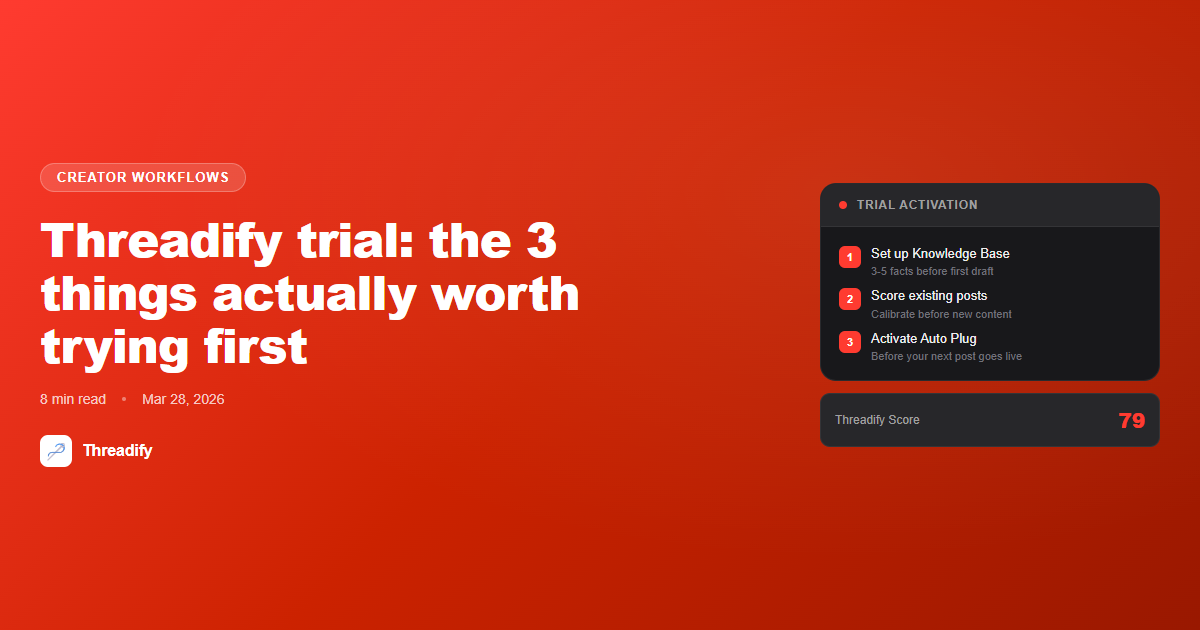
Threadify trial: the 3 things actually worth trying first
Most Threadify trial users test the obvious stuff and walk away unchanged. Here are the 3 things that actually show you what the tool can do.

Most tools fail during trials for the same reason: you test the obvious thing, it's fine but not impressive, and you move on.
With Threadify, the obvious thing to test is AI drafting. You type a topic, get a draft, shrug, close the tab.
That's the worst possible way to evaluate the tool.
The drafts are better when you've set up the Knowledge Base. The scoring is more useful when you have real posts to run through it. The automation features do nothing until you give them something to automate.
Here are the three things worth testing instead.
How to actually evaluate a Threadify trial
These three actions will tell you more about whether Threadify fits your workflow than any feature tour:
Set up your Knowledge Base first — before generating a single draft: Add 3-5 facts about your voice, niche, and how you talk to your audience. This is the context that separates "sounds like you" from "sounds like everyone else's AI content."
Run your existing Threads posts through the Threadify Score: Don't just score new drafts. Upload posts that have already performed well and ones that flopped. The gap between them calibrates what the algorithm is actually rewarding in your niche.
Turn on Auto Plug before your next post goes live: Set your CTA in CTA Studio, activate Auto Plug, and publish normally. When the post gains traction, watch what happens automatically.
All three require your actual content — your facts, your posts, your CTA. That's the point. Threadify is a tool for your specific audience and voice, and the only way to know if it works is to give it real inputs.
The direct answer: The Threadify trial is 7 days (starting from when you connect your Threads account, not sign-up). The three features worth testing immediately are the Knowledge Base, the Threadify Score, and Auto Plug. According to Metricool's 2026 Threads algorithm analysis, consistency and reply-generation are the two strongest ranking signals on the platform — all three of these features directly support both. Testing them with your own content (not placeholder examples) is the only way to know whether the tool fits.
Thing 1: Build your Knowledge Base before you draft anything
The most common reason people try Threadify and aren't impressed: they ran drafts before setting up their Knowledge Base.
What they're actually saying when they say "the AI content didn't sound like me": they gave it zero context about who they are, what they know, or how they sound — and got generic output. That's not a Threadify failure. That's using a professional camera in full auto mode and being surprised the photos look like stock.
The Knowledge Base is where you give Threadify the inputs it needs. Your niche, your beliefs, your way of explaining things, the phrases you use constantly with your audience.
You don't need 50 facts. Three to five specific, concrete ones will transform output quality more than any model upgrade:
"I'm a copywriter" produces generic content.
"I'm a copywriter who works with e-commerce founders who hate writing but know they need email. My audience is skeptical of marketing advice because they've been burned by it." — that produces something usable.
The setup takes 15 minutes. Do it before you draft anything.
Try Threadify for free
Write better Threads in less time. Generate, refine, schedule—without the chaos.
For the full breakdown of what actually belongs in your Knowledge Base: 10 things to put in your Threadify Knowledge Base.
Thing 2: Score posts that have already performed (not just new drafts)
Most trial users go straight to: generate a draft, score it, see the number. That tells you almost nothing.
What actually tells you something: take 5-10 of your best and worst Threads posts from the last 30 days and run them through the Threadify Score.
You're not trying to change those posts — they're already published. You're calibrating your eye. The Score will show you what the algorithm rewarded (hook structure, sentence length, reply-invitation vs. broadcast phrasing). When you see that your best post scored 79 and your worst scored 31, you start to trust the signal.
After calibrating with real posts, scoring new drafts becomes meaningful. You know what "good" looks like for your specific audience and niche. The Score isn't a generic writing rubric — it's a pattern detector. It works best when it has your actual publishing history to validate against.
Threads is growing fast right now — it hit #2 most downloaded iOS app in March 2026 according to SocialBee's March 2026 Threads update report. More creators means more competition for feed position. Learning what your algorithm rewards specifically is not optional.
For the full breakdown of what the Threadify Score measures: Score it before you post it.
Thing 3: Activate Auto Plug before your next post goes live
Auto Plug is the most underused feature in Threadify. It's also the hardest to explain without showing it.
Here's what it does: when one of your scheduled posts gains traction above your normal engagement threshold, Auto Plug automatically drops your pre-written CTA as a reply. The timing is the entire mechanism. It waits until the post is already performing, then adds the conversion layer.
This is the opposite of the standard approach, where you either:
Add your link in the first reply immediately (which the Threads algorithm treats as engagement-fishing and de-prioritizes), or
Watch your notifications manually and drop a CTA when something pops (which requires you to be online at exactly the right moment)
To test it properly during your trial:
Write a CTA in CTA Studio — your lead magnet link, your offer, your newsletter, whatever you're actually trying to convert people to
Turn on Auto Plug in settings
Schedule a post, or let one you've already queued go live
Don't touch it
The CTA will drop automatically when the engagement threshold is hit. You'll see automated conversion working against your real audience — not a demo scenario.
This is the feature most people sign up for after seeing it explained once. Try it live during your trial and it explains itself.
For the full breakdown of when to use Auto Plug versus a manual CTA: Auto Plug vs manual CTA on Threads: which one actually converts?.
Why these three features specifically?
The Threadify features that look impressive in a demo — AI drafting, scheduling calendar, analytics dashboard — are the same ones that look fine but not compelling without context.
The three features above work differently. They require your input (your facts, your posts, your CTA) and give you measurable output immediately. You either see the Knowledge Base making drafts sound like you, or you don't. You either see the Score match your actual post performance, or you don't. You either see Auto Plug fire on a performing post, or you don't.
That's the fastest path to a real verdict on whether Threadify is worth adding to your workflow.
If you want the full day-by-day breakdown of the trial period: Your first 7 days on Threadify: what to do, what to skip, and what actually matters.
After the trial, if you're weighing Creator vs Founder: Is Threadify worth it? covers what each paid tier actually includes and when the upgrade makes sense.
Start your trial: threadify.app/plans.
Frequently Asked Questions
How long is the Threadify trial?+
The Threadify trial is 7 days. The clock starts when you connect your Threads account — not when you sign up. If you sign up Monday but don't connect your Threads account until Wednesday, your trial starts Wednesday.
Do I need a credit card to try Threadify?+
Yes. You add a card to start the 7-day trial, but you're not charged during the trial — it converts to Creator at $19/month only if you don't cancel. You get full Creator plan access for the week.
What do I get during the Threadify trial?+
Full Creator plan access for 7 days: unlimited scheduled posts, 300 AI actions a month, Knowledge Base with 10 files and 600 facts, Auto Plug, Auto Repost, and Growth Insights. It is the complete product, free for the week.
What happens when the Threadify trial ends?+
Your trial converts to the Creator plan at $19/month unless you cancel first. You can cancel anytime from Settings and keep access until the end of the period.
What is the most important thing to do first in the Threadify trial?+
Set up your Knowledge Base before generating any AI drafts. Adding 3-5 facts about your voice, niche, and audience takes 15 minutes and fundamentally changes draft quality. Without it, you are testing generic AI output, not Threadify.
Try Threadify for free
Write better Threads in less time. Generate, refine, schedule—without the chaos.