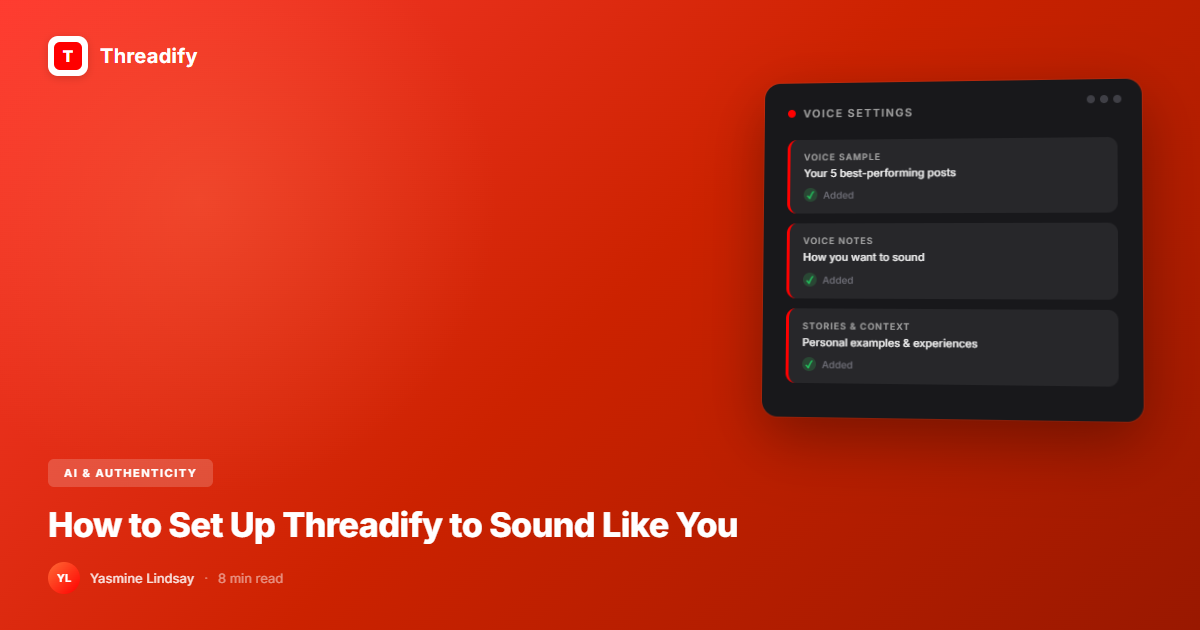
How to Set Up Threadify to Sound Like You (Not Generic AI)
Most AI tools make you sound like everyone else. Threadify's Knowledge Base learns your voice — your stories, phrases, and opinions — so every draft sounds like you wrote it. Here's how to set it up in 15 minutes.

In this post, you'll learn:
Why most AI writing tools make you sound like everyone else — and how Threadify is different
How to set up your Knowledge Base so Threadify learns your actual voice
The specific settings and prompts that produce content that sounds like you wrote it
Threadify's Knowledge Base is what separates it from every other AI writing tool. Instead of generating generic content, it learns your voice — your stories, your phrases, your opinions, your hot takes. Set it up once and every draft sounds like you, not like ChatGPT wearing your name tag. The setup takes 15 minutes and it changes everything about how you create content.
Quick Steps
Open Threadify → Settings → Knowledge Base.
Paste 5-10 of your best-performing posts (the ones that sound most like you).
Add your "voice notes" — phrases you use, opinions you hold, stories you reference.
Write a test draft and compare it to your natural voice.
Adjust: add more examples if it's too generic, add constraints if it's off-brand.
Save. Every future draft now sounds like you.
The AI Slop Problem (And Why You're Right to Hate It)
You've seen it. Scroll through Threads for 30 seconds and you'll find it.
"In today's fast-paced digital landscape..."
"Here's the thing about content creation..."
"Let me share 5 game-changing tips that will transform your..."
It all sounds the same because it all comes from the same place: AI tools that generate content from a generic training model with zero knowledge of who you are, what you've experienced, or what you actually think.
The result? AI slop. Content that's technically correct, grammatically clean, and completely forgettable. It reads like a Wikipedia article wearing a backwards cap trying to be relatable.
And the audience knows. They can smell it. Engagement drops. Trust erodes. People unfollow.
This is why most creators either avoid AI entirely (and burn out from manual content creation) or use AI and hate the output (and burn out from endless editing).
There's a third option.
What a Knowledge Base Actually Does
A Knowledge Base is a collection of your voice data — your writing samples, your opinions, your stories, your preferred phrases, your pet peeves, your communication patterns — that an AI uses as context when generating content.
Think of it this way:
Without Knowledge Base: You ask "write me a Threads post about burnout." The AI writes what anyone might say about burnout. Generic. Forgettable.
With Knowledge Base: You ask "write me a Threads post about burnout." The AI knows you left corporate in 2024, you've talked about the "Sunday scaries" three times, you use short punchy sentences, you never use the word "journey," and you always end with a direct question. So it writes what you would say about burnout. Specific. Personal. Yours.
Same prompt. Completely different output. The Knowledge Base is the difference.
Setting Up Your Knowledge Base (Step by Step)
Step 1: Gather your voice samples
You need 5-10 pieces of content that represent your best, most authentic voice. These are your training data.
Where to find them:
Your top-performing Threads posts (high engagement = resonant voice)
Tweets or posts that got strong reactions
Newsletter sections where you were "in flow"
DMs or messages where you were being most naturally yourself
Voice note transcripts (often your rawest, most authentic voice)
What makes a good voice sample:
It sounds like you talking, not you performing
It has opinions (not just information)
It uses your natural rhythm (short sentences? Long riffs? Rhetorical questions?)
Someone who knows you would read it and say "that's so you"
What to avoid:
Anything you heavily edited to sound "professional"
Try Threadify for free
Write better Threads in less time. Generate, refine, schedule—without the chaos.
Content you wrote for someone else's brand
Generic how-to content that could have been written by anyone
Step 2: Add your voice notes
Beyond writing samples, tell Threadify about your voice explicitly. These are short notes that guide the AI's style:
Example voice notes:
"I use short sentences. Sometimes one word. For emphasis."
"I never say 'leverage,' 'synergy,' or 'at the end of the day.' If my content sounds like a LinkedIn post, something went wrong."
"I swear occasionally for emphasis. Not aggressively — more like a friend who drops an f-bomb when making a point."
"My favourite structure: bold claim → personal story that proves it → practical takeaway → question that invites a reply."
"I always write about [your niche] through the lens of [your unique angle]. I'm not just a creator; I'm someone who [your differentiator]."
Step 3: Add your stories and references
The most powerful part of a Knowledge Base isn't style — it's substance. Your stories are what make your content impossible to replicate.
Add:
Origin story: Why you started doing what you do
Key milestones: Numbers, dates, specific events (not "I grew my audience" but "I went from 200 to 4,000 followers in 60 days")
Failure stories: What went wrong and what you learned
Recurring references: Things you mention often (a book, a concept, a person, a metaphor)
Hot takes: Your strongest opinions on topics in your niche
When you include these, the AI can weave your evidence into your posts instead of generating generic examples.
Step 4: Test and adjust
Write 3 test drafts about different topics. Read them out loud. Ask:
Does this sound like me or like "AI trying to be me"?
Are there phrases I would never use? (Flag them in your voice notes)
Are there stories or references that should be here but aren't?
Is the energy right? (Too corporate? Too casual? Too aggressive?)
Adjust your Knowledge Base based on what you find. This is an iterative process — your first version won't be perfect, and that's fine.
Step 5: Maintain over time
Your voice evolves. Your stories accumulate. Your opinions sharpen. Update your Knowledge Base every month or two:
Add new high-performing posts
Add new stories and milestones
Remove examples that no longer represent your current voice
Update opinions and hot takes as your thinking evolves
A Knowledge Base isn't a one-time setup. It's a living document of your creator identity.
Before and After: Real Examples
Example 1: Post about content consistency
Without Knowledge Base:
"Consistency is key to social media growth. When you post regularly, your audience knows what to expect and the algorithm rewards you with more reach. Try to post at least once a day."
With Knowledge Base:
"I didn't miss a day on Threads for 47 days straight. Not because I'm disciplined — I'm not. I batch-write on Sundays when my brain is actually working and schedule the rest. The 'consistency' people admire is actually a system running in the background while I watch Netflix. You don't need discipline. You need a 20-minute routine."
Same topic. One is forgettable. The other is shareable.
Example 2: Post about AI writing
Without Knowledge Base:
"AI tools can help you create content faster, but it's important to maintain your authentic voice. Here are some tips for using AI without losing your personality."
With Knowledge Base:
"I use AI to write every day and my audience has no idea. Not because I'm sneaky — because it sounds like me. The secret? I didn't feed it 'write in a casual tone.' I fed it 40 of my best posts, my origin story, and a list of words I refuse to use. Now when I say 'draft this,' it doesn't write generic content. It writes MY content, faster."
Common Mistakes When Setting Up Your Knowledge Base
Mistake 1: Not enough voice samples
3 posts isn't enough data. The AI needs patterns to learn from. Aim for 10+ voice samples that represent the range of your content.
Mistake 2: Including content that isn't "you"
If you include that one LinkedIn post you wrote in "professional mode," the AI will think that's your voice. Only include content that represents how you want to sound, not how you sometimes perform.
Mistake 3: Being too vague in voice notes
"Write in my style" tells the AI nothing. "Short sentences. Rhetorical questions. First-person stories. No corporate jargon. End with a direct question" — that's actionable guidance.
Mistake 4: Setting it and forgetting it
Your voice 6 months from now won't be the same as today. Your Knowledge Base needs updates. Schedule a 15-minute review every month.
Mistake 5: Expecting perfection from day one
Your first drafts with a new Knowledge Base will be 70-80% there. The remaining 20% comes from refinement — adding more examples, flagging off-brand phrases, and teaching the AI your quirks over time.
Why This Matters More Than You Think
AI content creation isn't going away. It's going to get more common, more sophisticated, and more... same-sounding.
The creators who stand out in 2026 and beyond aren't the ones avoiding AI. They're the ones who've trained AI to amplify what makes them different.
Your stories. Your opinions. Your weird little phrases. Your specific experiences. That's what audiences connect with. That's what AI can't generate from scratch. And that's exactly what a Knowledge Base captures and deploys.
The goal isn't to replace your voice with AI. It's to make your voice scale — so you can post daily without writing from scratch every time, and every post still sounds unmistakably like you.
Your Next Step
Open Threadify. Go to your Knowledge Base. Paste in your 5 best posts — the ones that got the most engagement, the ones people replied to, the ones that felt the most "you."
Write one test draft. Read it out loud. If it sounds like you, you're ahead of 90% of creators who are still writing everything from scratch or publishing generic AI output.
If it doesn't sound like you yet — that's normal. Add more voice notes. Be more specific. The AI gets better the more context you give it.
Your voice is your competitive advantage. Don't let AI flatten it. Train it.
Related reads:
Score It Before You Post It — quality-check your drafts before publishing
AI Slop Is a Choice: How to Use a Knowledge Base to Stay Authentic — the bigger picture on AI + authenticity
We Analysed 500 Viral Posts From Threads: Here's What We Learned — understand what makes content work before you write it
Frequently Asked Questions
What is a Knowledge Base in Threadify?+
A Knowledge Base is a collection of your writing samples, voice notes, stories, and opinions that Threadify uses as context when generating AI drafts. It teaches the AI your specific voice so content sounds like you, not generic AI output.
How do I set up Threadify to sound like me?+
Paste 5-10 of your best-performing posts into your Knowledge Base, add voice notes describing your style and banned phrases, include your key stories and opinions, then test with a few drafts and refine. The setup takes about 15 minutes.
Can AI writing tools match my personal voice?+
Yes, but only if you train them with your actual voice data. Generic AI tools produce generic content. Threadify's Knowledge Base uses your real writing samples, phrases, and opinions to generate drafts that match your unique style.
How many voice samples do I need for Threadify's Knowledge Base?+
Aim for at least 5-10 voice samples, ideally 10 or more. These should be your most authentic, best-performing content pieces — posts where you sounded most like yourself, not content you edited to sound professional.
How often should I update my Threadify Knowledge Base?+
Update your Knowledge Base every one to two months. Add new high-performing posts, fresh stories and milestones, and remove examples that no longer represent your current voice. Your voice evolves, and your Knowledge Base should evolve with it.
Try Threadify for free
Write better Threads in less time. Generate, refine, schedule—without the chaos.