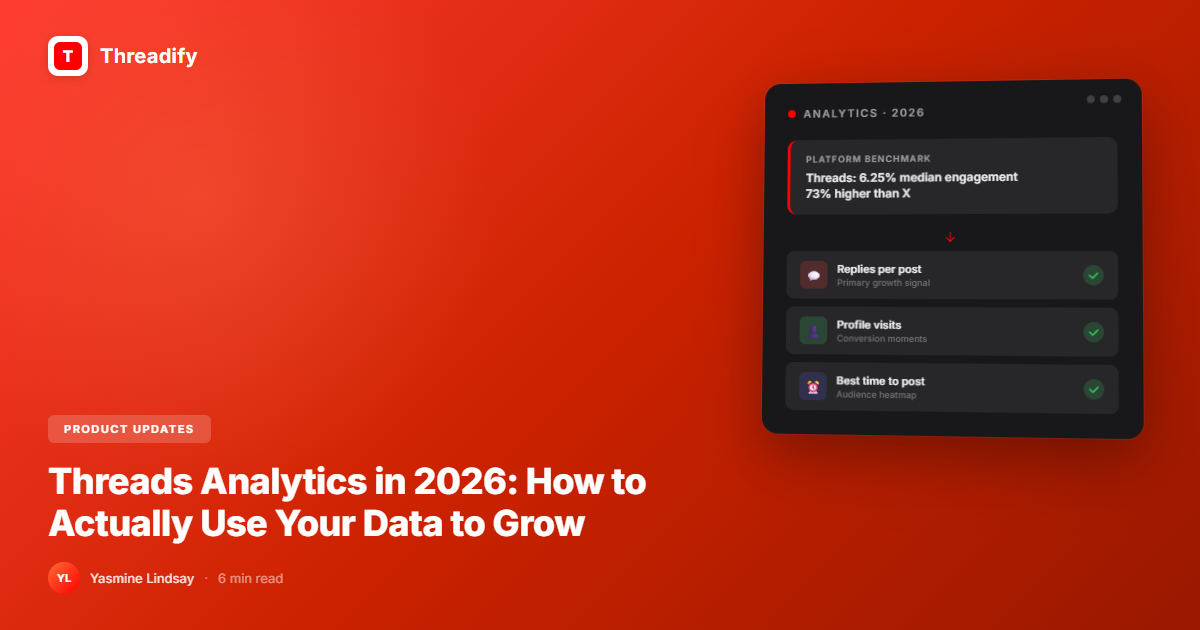
Threads Analytics in 2026: How to Actually Use Your Data to Grow
Most creators check follower count and stop there. Here are the Threads analytics metrics that actually predict growth -- with 2026 benchmarks.

Threads Analytics in 2026: How to Actually Use Your Data to Grow
Most Threads creators open their analytics once a week, stare at the follower count, feel a feeling, and close the tab.
That's not analytics. That's digital horoscope reading.
Your follower count tells you almost nothing actionable. It measures attention that happened -- not whether your content is working, not what to do next, not which 20% of your posts are driving 80% of your growth.
Likes are fool's gold. Replies are real. And the data that tells you whether you're actually building something is sitting in your dashboard untouched.
Here's how to use it.
What Are Threads Analytics?
Threads analytics is the built-in performance dashboard that shows how your content is being discovered, engaged with, and converted into profile interest. As of 2026, it covers impressions, views, replies, reposts, profile visits, follower growth, audience demographics (age, gender, location), and traffic sources. Available to any account with 100+ followers -- no creator account required.
The dashboard has matured considerably. Ninety-day performance windows, link click tracking, and weekly recap notifications all landed in 2025. It's still not Instagram-depth, but it's more than enough to make decisions -- if you know what to actually look at.
How to Use Threads Analytics to Actually Grow (5 Steps)
Most analytics guides list metrics. This one tells you what to do with them.
Track replies, not impressions. Impressions tell you what got displayed. Replies tell you what resonated. The Threads algorithm weights replies 3x higher than likes -- a post with 200 replies and 1,000 impressions will outperform a post with 10,000 impressions and 50 likes, every time. Replies are your single most important metric.
Watch profile visits per post. Every post that makes someone click your profile is a conversion moment. Low profile visits means your content isn't creating curiosity about who you are. The fix is usually the ending or the CTA -- not the middle of the post.
Use audience data to time your posts. The Threads dashboard shows when your specific audience is most active. Ignore generic "best time to post" guides. Your audience is yours -- post when they're actually there.
Group your posts by content type. Sort your last 30 posts into buckets: opinion takes, how-tos, personal stories, engagement questions. Compare reply rates across each bucket. Wherever replies cluster is where your next batch should come from.
Monitor the first 60-minute window. Early engagement velocity determines whether the algorithm pushes your post further. Zero replies in the first hour almost always traces back to the hook -- that's 80% of the problem.
The Benchmark That Changes How You See Your Performance
Here's what makes Threads different from every other text platform in 2026: the engagement rate floor.
According to Buffer's State of Social Media 2026 report, the median engagement rate on Threads is 6.25% -- compared to 3.6% on X (Twitter). That's 73% higher as a platform baseline. Which means if your posts are sitting at 2-3% engagement, you're not just underperforming against Threads norms -- you're performing below what X typically generates.
Use this as your calibration, not your ceiling.
What reasonable looks like on Threads for growing creators:
Replies per post: 5-15 for under 1,000 followers; 20-50 for 1K-10K
Profile visit rate: 1-3% of impressions converting to profile visits
Try Threadify for free
Write better Threads in less time. Generate, refine, schedule—without the chaos.
Engagement rate: 6%+ is at or above platform median; under 3% is a signal something needs to change
Follower growth from a single post: 0.5-2% of post reach is a healthy range
These aren't targets. They're reference points for understanding where you actually stand.
The 3 Metrics Most Creators Never Check
Traffic Sources
The Threads dashboard shows where your impressions originate: home feed, search, your profile, or linked platforms (Instagram referrals).
If the vast majority of your impressions come from "home" -- your existing followers -- your content isn't being discovered by new people. To fix this, you need either stronger topic tag usage or posts generating enough reply velocity to break into the broader feed.
If you're consistently getting strong traffic from "search," that's a signal your content is answering real questions. That's a content direction worth leaning into.
Saves
Saves aren't prominently surfaced but they're the highest-intent signal in your dashboard. Someone saving your post found it valuable enough to return to. Saved posts are almost always how-tos, frameworks, or structured lists -- not opinion takes.
If you're not getting saves, look at whether you're giving people practical things to keep. One actionable framework per week builds a different kind of audience than pure commentary.
Link Clicks
Since Threads added link click tracking in 2025, you can now see exactly which posts drove traffic off-platform. Most creators don't analyse this at all -- which means they never know which types of posts actually convert their Threads audience into subscribers, trial users, or customers.
If you're running a business on Threads, this data is more valuable than your follower count. It tells you which content is doing actual work.
Where Threadify's Growth Insights Go Further Than Native Analytics
The native Threads dashboard is useful. But it has two gaps worth knowing about.
Gap 1: No best-time-to-post heatmap. Threads shows audience demographics but doesn't surface a clear "your audience is most active at these times" visual. You have to infer posting windows manually by watching when your posts get early engagement -- which is slow and unreliable.
Threadify's Growth Insights Engine fills this directly. It maps your specific audience's active hours as a posting heatmap. Not a generic recommendation pulled from aggregate data -- your actual signal, based on your actual audience.
Gap 2: No content-type performance breakdown. Native analytics shows you post-level numbers but doesn't help you identify which category of content is working. You'd have to manually tag and compare your posts over time.
Threadify tracks this so you can see, at a glance, whether your opinion posts or your how-to posts are driving more replies and follower growth. That difference -- knowing vs. guessing -- changes how you spend your writing time.
What to Do When Your Numbers Are Low
Most creators panic when metrics drop and post more frequently. That's usually the wrong move.
Here's the actual diagnosis framework:
Impressions low, replies high: Your content is hitting with your existing audience but not being amplified outward. Try increasing posting frequency or experimenting with topic tags.
Impressions high, replies low: You're getting seen but not stopping the scroll. The hook needs work. Running your next posts through Threadify Score before publishing catches weak hooks before they go live.
Follower growth stalled: Check your profile visit rate first. If people are visiting but not following, your bio is the problem. If they're not visiting, your content isn't creating curiosity about who you are.
Engagement was strong, now dropped: Check whether your content type has drifted. Two weeks of promotional or repetitive posts will tank your organic reach -- the algorithm learns what you are from your pattern, not your best single post.
Your Data Is Already Telling You Something
The numbers are there. Most people just don't read them -- or they read the wrong ones.
Follower count is dopamine. Replies, profile visits, and saves are signal. One of them helps you feel something. The others help you grow.
If you're on Threadify's analytics dashboard, the best-time-to-post heatmap, content performance breakdown, and full posts table are already pulling your data. Spend 10 minutes with it this week and you'll know more about your audience than most creators learn in a year of guessing.
Related reads:
How to get more followers on Threads -- the growth tactics that stack with analytics
We analysed 500 viral Threads posts -- what the data actually says about reach
Score it before you post it -- eliminate weak hooks before they go live
How to batch a full week of Threads content in 2 hours -- the system that makes posting sustainable
Frequently Asked Questions
What Threads analytics metrics should I track as a creator?+
Track replies per post, profile visits, audience demographics (for timing), and traffic sources. These four metrics give you the most actionable picture of what's working. Follower count is a lagging indicator -- it's the result of good performance, not a measurement of it.
What is a good engagement rate on Threads in 2026?+
The platform median is 6.25% according to Buffer's State of Social Media 2026 report -- 73% higher than X. Under 3% is a signal to rethink your content format. Over 8% consistently means you're posting content that genuinely resonates with your audience.
How do I get more profile visits from my Threads posts?+
Your post needs to make someone curious about who you are, not just what you said. Ending with a specific take, mentioning your background, or revealing a personality trait that aligns with your niche all increase profile clicks. Generic information posts get read and scrolled past.
Does Threadify show analytics that native Threads doesn't?+
Yes. Threadify's Growth Insights Engine shows a best-time-to-post heatmap based on your specific audience activity, performance breakdowns by content type, and a full posts table with search and CSV export.
How often should I review my Threads analytics?+
Weekly is enough for most creators. Spend 10-15 minutes reviewing your top 3 posts by replies, your bottom 3 (what didn't land), and your profile visit trend. The goal is to make your next 7 posts smarter than your last 7.
Try Threadify for free
Write better Threads in less time. Generate, refine, schedule—without the chaos.