
Why Threads Podcast Previews Mean the End of "Ghosting" Your Own Fans
For podcasters tired of being a "guest" in their own community. Learn how to use the Threads workspace to lead the conversation around your latest episode previews.

n this post, you'll learn:
Why the new native podcast preview feature is a bid for host-led agency.
How to bridge the gap between "native media" and a sovereign creator workspace.
A step-by-step workflow to turn one 60-second audio snippet into a week of high-certainty community authority.
Threads is moving fast. Bloomberg recently reported that the platform is launching native podcast previews — snippets that auto-play directly in-feed to drive discovery and "stickier" consumption. This isn't just a shiny new button; it’s an invitation for you to stop being a guest in fan-run Facebook Groups and start owning the conversation where it actually happens.
By the end of this post, you will have a repeatable system to turn these previews into a host-led community that scales your reach without burning out your voice.
The Shift from Fan-Managed to Host-Led Agency
Threads is explicitly trying to move podcast discussions away from spaces where hosts have zero control and into a "Threads creator workspace" where you can directly shape the dialogue.
A Threads Creator Workspace is a bundled system that combines voice-first drafting, scheduling, analytics, and conversion automation into one high-certainty environment.
This shift matters because "staying apolitical" or hands-off with your community is a choice that favors the status quo. As a host, your agency — your ability to build a life and a brand that doesn't need an apology — is your greatest asset.
Why "Native Media" Needs a System
Threads leadership believes podcasts map perfectly to the opinionated, analysis-heavy creators they want to attract. But more media often means more "juggling 5 apps" just to get one post out. If you aren't careful, these new previews become another "walking deadline" that drains your identity.
3 Steps to Own the Narrative Using Your Workspace
To lead your community, you need to move from "posting and praying" to a repeatable loop.
1. Connect Your Docs to Kill "AI Slop"
The biggest fear for any high-functioning creator is sounding like a robot. When you drop a podcast preview, don't use generic AI to write the caption.
Try Threadify for free
Write better Threads in less time. Generate, refine, schedule—without the chaos.
The Knowledge Base: Connect your Drive or Notion docs containing your episode scripts and research.
Ask Threadify...: Instead of "generating" a post, ask your workspace to extract the three most controversial facts from your script.
Sound Like You: This ensures the draft starts in your voice, grounded in your actual work.
2. Score It Before the Algorithm Does
Most people post 40/100s and wonder why they aren't growing.
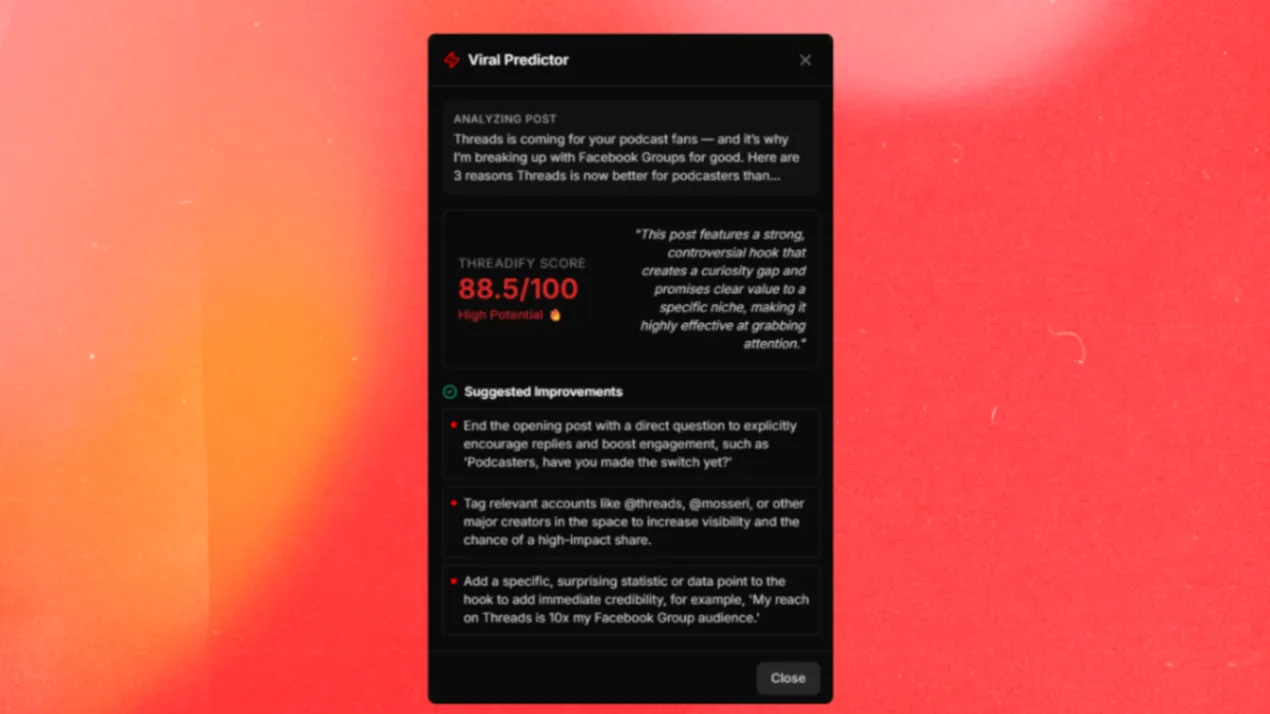
Before you hit schedule:
The Threadify Score: Use the built-in quality gate to check your hook's potential.
Example:
Weak Hook: "Check out my new podcast episode on Threads previews." (Threadify Score: 5/100 — Too corporate/dull) .
High-Potential Hook: "Threads is coming for your podcast fans — and it’s why I’m breaking up with Facebook Groups for good.
Here are 3 reasons Threads is now better for podcasters than Facebook Groups:" (Threadify Score: 88/100 — High Potential) .
3. Automate the "Boring" Distribution
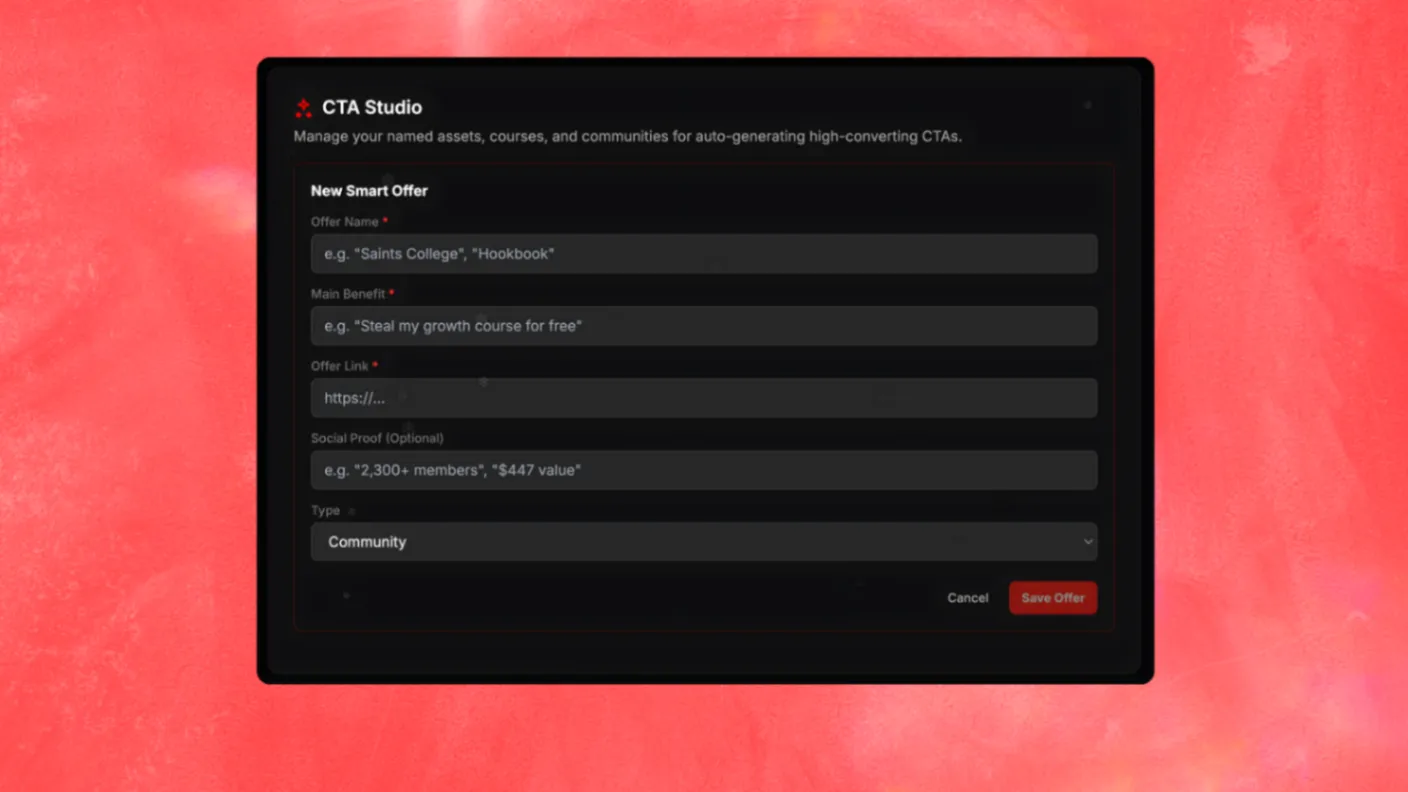
Consistency isn't about discipline; it's about friction removal.
Auto Repost: Set your winners into rotation so your best episode insights don't die in 24 hours.
Auto Plug: When an episode snippet starts "popping off," your workspace should automatically drop a delayed CTA reply with the full listening link. This is how you "scale the work instead of the worry".
Related reading: How to use Threads DMs · How to use Threads in 2026 · The complete Threads marketing guide
Stop Waiting for Permission to Lead
Threads is building the "backchannel" for your show, but a backchannel without a host is just noise. By using a dedicated workspace, you ensure your voice stays intact while your systems do the heavy lifting.
Your Threads workspace is waiting. Don't waste the next reach-spike on "AI slop" or manual scrambling.
Frequently Asked Questions
What are Threads podcast previews?+
Threads podcast previews are native audio snippets that auto-play directly in-feed, allowing podcast hosts to share short clips from episodes to drive discovery and engagement without requiring listeners to leave the platform.
How can podcasters use Threadify with Threads podcast previews?+
Connect your episode scripts and research via the Knowledge Base, draft companion posts in your own voice, use Threadify Score to quality-check hooks before posting, and set Auto Plug to drop your full episode link when a preview post gains traction.
Does Threadify post podcast audio automatically?+
No. Threadify is a Threads creator workspace for drafting, scheduling, and optimizing your written content around episodes. You remain in control of what gets posted. The workspace turns rough ideas into viral-ready structures you can publish with confidence.
How do I turn one podcast episode into a week of Threads content?+
Connect your episode script to the Knowledge Base, extract key insights as individual posts, schedule them across the week, use Auto Repost to keep winners in rotation, and let Auto Plug handle CTA distribution on high-performing clips.
Is Threadify just another AI writer?+
No. An AI writer is a commodity textbox. Threadify is a Threads creator workspace that bundles your Knowledge Base, scheduling, analytics, and conversion loops into one system — so your voice stays intact while the busywork gets automated.
Can I connect my existing podcast show notes?+
Yes. You can connect your Google Drive or Notion on any plan, so the AI drafts from your actual episode notes and research instead of generic internet data.
Try Threadify for free
Write better Threads in less time. Generate, refine, schedule—without the chaos.