The Best Threads Scheduling App in 2026: Ranked After 8 Weeks of Testing
Not all Threads schedulers are built the same. Here's an honest comparison of 8 tools — what each does well, where each falls short, and which one fits your workflow.

Best Threads Schedulers in 2026: 8 Tools Compared (Honest Review)
In this post, you'll learn:
Which Threads scheduling tools actually work in 2026 (and which ones just bolted Threads onto their existing platform)
What each tool costs, what it's best at, and where it falls short
Why native Threads scheduling changes the game — and when you still need a third-party tool
The Short Answer
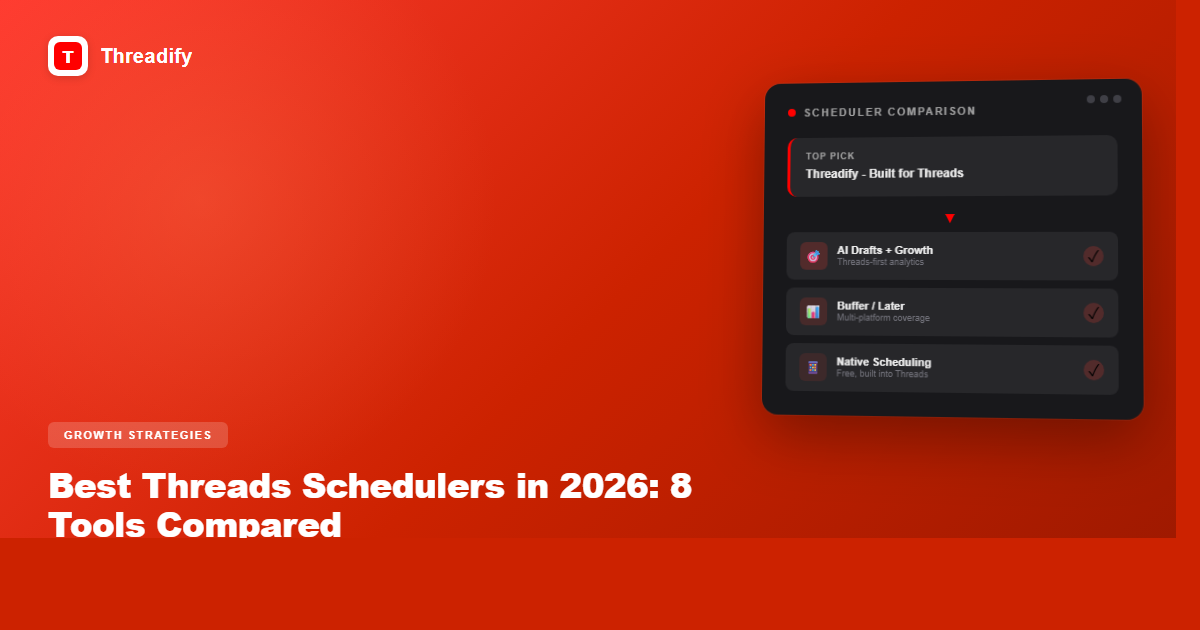
The best Threads scheduler depends on what you need. If you're a Threads-first creator who wants AI drafts and growth analytics built specifically for Threads, Threadify is the only tool designed for that. If you're managing Threads alongside 5 other platforms, Buffer or Later give you the broadest multi-platform coverage. If you just need to queue a few posts, Meta's native scheduling is now free and built in.
Here's every option worth considering in 2026, what each one actually does well, and where each falls short.
Quick Comparison
Threadify — Best for Threads-first creators who want AI drafts, growth analytics, and audience insights built specifically for Threads. Starting at $19/mo.
Buffer — Best for creators managing multiple platforms (Threads + Instagram + X + LinkedIn). Free tier available, paid from $6/mo.
Later — Best for visual-first creators who plan content around images and carousels. Free tier available, paid from $25/mo.
Typefully — Best for long-form thread writers who also post on X. Free tier available, paid from $12.50/mo.
Postwise — Best for AI-generated post ideas if you want volume over voice. Starting at $29/mo.
Planable — Best for teams and agencies that need approval workflows. Starting at $33/mo.
Hootsuite — Best for enterprise social media management with Threads as one of many channels. Starting at $99/mo.
Native Threads Scheduling — Best for casual posters who just need to queue a handful of posts. Free.
1. Threadify
Best for: Threads-first creators who want to grow on Threads specifically, not manage 6 platforms at once.
Threadify is the only scheduling tool built exclusively for Threads. Every other tool on this list is a general social media platform that added Threads support — Threadify started with Threads and built everything around it.
What makes it different:
AI Drafts with Knowledge Base — Most "AI writing" tools give you generic slop. Threadify's Knowledge Base learns your voice, your topics, and your style. The AI drafts actually sound like you because they're trained on your content, not everyone's content. (We wrote a whole post on how to set it up to sound like you.)
Growth Insights Engine — Tells you what content is actually growing your audience. Not just "this post got 50 likes" but "posts about X topic at Y time drive the most follows."
Threadify Score — Rates your draft before you post it. Saves you from publishing the posts that were never going to perform. (More on how that works.)
Auto Plug — Automatically promotes your best-performing content in relevant conversations. Like having a growth assistant running in the background.
CTA Studio — Build and rotate calls-to-action across your posts without sounding repetitive.
Where it falls short: Threadify only supports Threads. If you need to schedule Instagram, X, LinkedIn, and TikTok from the same dashboard, you'll need a multi-platform tool alongside it (or instead of it).
Pricing: Creator plan $19/mo. Founder plan $99/mo.
Best for: Serious Threads creators who want to grow on the platform, not just schedule posts.
2. Buffer
Best for: Solo creators who want one simple dashboard for Threads + 2-3 other platforms.
Buffer was one of the first tools to support Threads scheduling when Meta opened the API. It's clean, simple, and does the basics well.
Multi-platform scheduling — Threads, Instagram, X, LinkedIn, Facebook, Pinterest, TikTok, Mastodon, Bluesky
Clean UI — Buffer's strength has always been simplicity. No learning curve.
Free tier — 3 channels, 10 scheduled posts per channel. Enough to test it.
AI Assistant — Basic AI writing help for generating post ideas and rephrasing content.
Analytics — Cross-platform performance metrics with engagement tracking.
Where it falls short: Buffer treats Threads as one of many channels. The analytics are surface-level for Threads specifically — you get engagement metrics but not Threads-specific growth insights. The AI writing is generic (not trained on your content).
Pricing: Free for 3 channels. Essentials $6/mo per channel. Team $12/mo per channel.
3. Later
Best for: Visual-first creators and Instagram-heavy accounts who also want to schedule Threads.
Later started as an Instagram scheduling tool and has expanded to support Threads. If your content strategy is visually driven, Later's media library and visual planner are genuinely useful.
Try Threadify for free
Write better Threads in less time. Generate, refine, schedule—without the chaos.
Visual content calendar — Drag-and-drop planning with image previews
Media library — Organize and store all your visual assets
Linkin.bio — Drive traffic from your profiles to your content
Instagram + Threads together — Natural pairing if you're active on both
Best time to post — Suggests optimal posting times based on your audience
Where it falls short: Later is built for visual platforms. If your Threads content is primarily text-based (which most Threads content is), the visual planning tools don't add much value. Threads-specific analytics are limited.
Pricing: Free for 1 social profile, 5 posts/mo. Starter $25/mo. Growth $45/mo. Advanced $80/mo.
4. Typefully
Best for: Long-form writers who create thread-style content on both X and Threads.
Typefully was built for X (Twitter) threads and has added Threads support. If you write long, multi-part threads, its editor is excellent — distraction-free and designed for threaded content.
Thread editor — Clean writing environment designed for multi-part posts
Cross-posting — Write once, publish to both X and Threads
Writing analytics — Track which types of content perform best
Scheduling queue — Set it and forget it posting schedule
Team collaboration — Share drafts, get feedback before publishing
Where it falls short: Typefully's roots are in X/Twitter. Threads support exists but it's not the primary focus. If you're Threads-only, you're paying for X features you won't use. Limited Threads-specific analytics.
Pricing: Free tier available. Creator $12.50/mo. Team $29/mo.
5. Postwise
Best for: People who want AI to generate high volumes of post ideas quickly.
Postwise leans heavily into AI content generation. If you want a tool that spits out dozens of post ideas you can schedule, it does that well.
AI ghostwriter — Generates post ideas based on topics and styles
Viral post templates — Library of proven post formats
Scheduling — Queue and auto-publish to Threads
Growth tools — Auto-retweet and engagement features (primarily X-focused)
Where it falls short: The AI content tends toward generic viral-bait. If you care about sounding like yourself (and you should — AI slop is a choice), Postwise's approach of generating content from templates won't capture your voice. Also primarily X-focused with Threads as secondary.
Pricing: Starting at $29/mo.
6. Planable
Best for: Marketing teams and agencies that need approval workflows before anything goes live.
Planable is a content collaboration platform. Its strength is getting multiple stakeholders to review, comment on, and approve content before it's published.
Approval workflows — Multi-level approvals before publishing
Visual mockups — See exactly how your post will look before it goes live
Team collaboration — Comments, feedback, and version history
Multi-platform — Threads, Instagram, Facebook, X, LinkedIn, TikTok, Google Business Profile
Content calendar — Visual planning across all channels
Where it falls short: Planable is designed for teams. If you're a solo creator, the approval workflows and collaboration features are overhead you don't need. Also, the free tier limits you to 50 total posts (not per month — total).
Pricing: Free for 50 total posts. Basic $33/mo. Pro $49/mo. Enterprise custom.
7. Hootsuite
Best for: Enterprise teams managing social media at scale across many platforms.
Hootsuite is the biggest name in social media management. It supports everything, including Threads. But it's built for enterprise workflows, not individual creators.
Everything under one roof — Every major social platform supported
Advanced analytics — Deep reporting across all channels
Social listening — Monitor brand mentions and industry trends
Team management — Roles, permissions, approval chains
OwlyWriter AI — AI-powered content suggestions
Where it falls short: Hootsuite is expensive and complex for individual creators. The $99/mo starting price is steep if Threads is your primary platform. The interface can feel overwhelming when you just want to schedule a few posts. Threads analytics are bundled into their general social metrics — nothing Threads-specific.
Pricing: Professional $99/mo. Team $249/mo. Enterprise custom.
8. Native Threads Scheduling (Free)
Best for: Casual posters who just need to queue a few posts without any extra tools.
Meta launched native scheduling directly inside Threads in early 2026. You can now schedule posts without any third-party tool at all.
Free — Built right into Threads
No setup — Write your post, pick a time, done
No third-party access needed — Your data stays with Meta
Where it falls short: It's basic. No analytics beyond what Threads already shows you. No AI drafts. No content calendar view. No growth insights. No way to optimise what you're posting. If you're serious about growing on Threads, you'll outgrow native scheduling quickly. But if you're just getting started or posting casually, it's perfectly fine.
Pricing: Free.
So Which One Should You Pick?
Be honest with yourself about what you actually need:
"I just want to schedule some Threads posts" — Start with native scheduling. It's free and it works.
"I want to grow on Threads specifically" — Threadify. It's the only tool designed for Threads growth, not just Threads scheduling.
"I manage Threads + Instagram + X + LinkedIn" — Buffer or Later. They're good at being good enough across many platforms.
"I write long threads and also post on X" — Typefully. Its editor is built for threaded content.
"I run a team and need approvals" — Planable. Built for collaboration workflows.
"I'm an enterprise with 50 social accounts" — Hootsuite. It's expensive but it handles scale.
The real question isn't which scheduler has the most features. It's whether you need a Swiss Army knife (does everything okay) or a scalpel (does one thing exceptionally). For Threads, that scalpel is Threadify. For everything else, the multi-platform tools have you covered.
One thing worth noting: with Meta adding native scheduling, pure scheduling is becoming table stakes. The tools that matter going forward are the ones that help you figure out what to post — not just when to post it. That's where AI drafts, growth analytics, and audience insights become the real differentiators. We wrote about this shift in our analysis of 500 viral Threads posts — the patterns are clear.
Frequently Asked Questions
What's the best Threads scheduler in 2026?+
It depends on your workflow. For multi-platform teams, Buffer is strong. For creators whose main platform is Threads, Threadify goes deeper — drafting in your voice, scoring posts, and automating CTAs — so it’s the better fit when Threads is where you actually grow.
Can you schedule Threads posts natively?+
Threads has limited native scheduling, but it lacks drafts management, analytics, voice-matched AI, and reply automation. A dedicated scheduler gives you a real content pipeline instead of one post at a time.
Are Threads schedulers safe to use?+
Yes, if they publish through the official Meta Threads API. Threadify and the other tools in this comparison use the approved API, so your account stays in good standing. Avoid anything that asks for your password instead of OAuth.
How much does a Threads scheduler cost?+
Most range from free tiers to roughly $20–$100 a month. Threadify’s Creator plan is $19/month with unlimited scheduling, and there’s a 7-day free trial so you can test it before you pay.
Do I need a scheduler if I only post a few times a week?+
Even light posters benefit. Batching a week of posts in one sitting beats scrambling daily, and scheduling for your audience’s active hours lifts reach. The consistency a scheduler enables is exactly what the algorithm rewards.
What makes Threadify different from other Threads schedulers?+
Most tools stop at scheduling. Threadify adds AI drafting trained on your voice, a pre-publish quality score, Auto Plug for automated CTAs, Auto Repost for winners, and growth analytics — a full create-to-convert loop, not just a queue.
What is the best free Threads scheduler?+
Meta's native Threads scheduling is the best free option — it's built into the app with no setup. Buffer also offers a free tier that works if you want to manage Threads alongside other platforms.
Is native Threads scheduling good enough?+
For casual posting, yes. If you just want to queue a few posts, it works fine. But if you're trying to grow on Threads, you'll want the analytics, AI drafting, and growth insights that native scheduling doesn't offer.
Try Threadify for free
Write better Threads in less time. Generate, refine, schedule—without the chaos.