How to Use Threadify: A Simple First-Week Workflow
Build your first Threadify week from real audience questions, one reviewed draft and one useful next lesson without setting up everything at once.

The fastest way to make a new tool feel complicated is to set up everything at once.
Every feature. Every automation. Every old note. Every idea you've ever had.
Then the first Thread still sits there unfinished.
If you're a coach or consultant starting Threadify, your first week needs one job: get from a real question to one useful Thread, review it properly, publish only when you're happy and learn something you can use next week.
That is enough.
The short answer
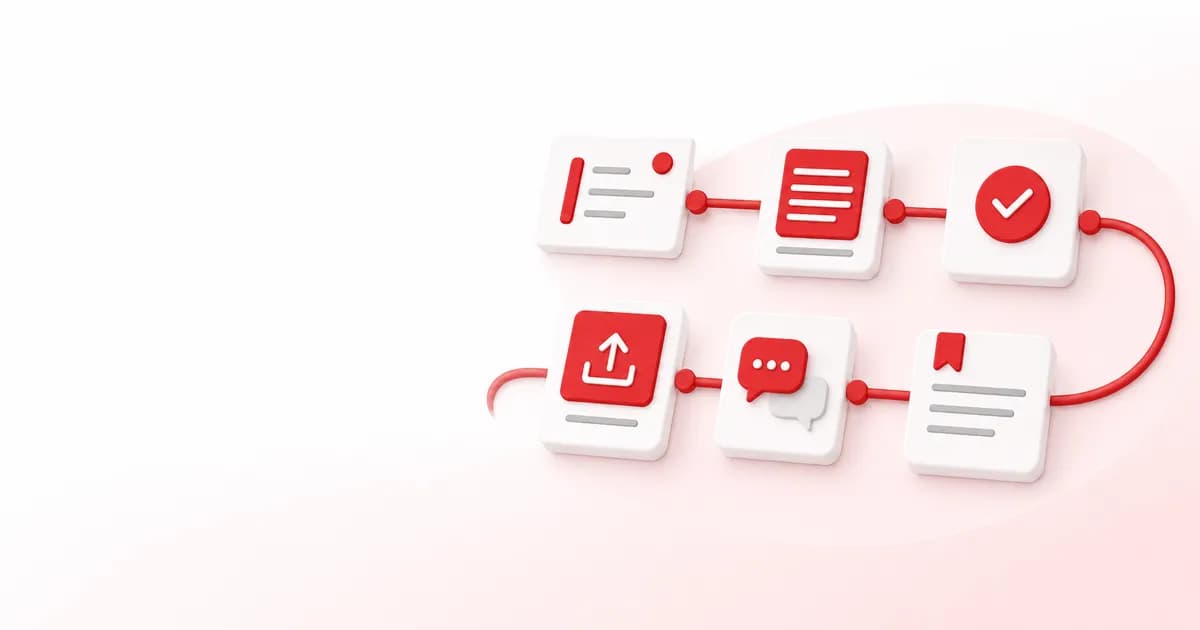
Use Threadify in this order:
add a small amount of real context
create one draft from a question your audience already asks
edit it until it sounds like you
review the quality and next step
publish or schedule only when the settings are right
read what happens and save one lesson
Don't try to automate your whole content system before this loop feels useful.
Step 1: Give Threadify something real to work with
Generic input creates generic drafts.
Start with a small, public-safe set of material:
three Threads that sound like you
a short description of your offer
five questions clients or prospects ask you
two opinions you genuinely hold
words or phrases you never want used
You don't need to upload your whole life. You need enough context for the first draft to have a point of view.
If you're unsure what belongs in the Brain, use these practical Knowledge Base ideas and choose the smallest relevant set.
Keep private client details out unless you have permission and a safe reason to use them. An anonymous pattern is usually enough.
Step 2: Start with a real audience question
Don't open with "write me something about coaching."
Pick one question you have actually heard.
For example:
"How do I know if my offer is too broad?"
"What do I say when someone asks for the price and disappears?"
"Do I need to post every day to get clients from Threads?"
Then give the draft one job.
Maybe it should explain a decision, name a mistake or help the reader take one small next step.
One reader. One problem. One useful point.
That gives Threadify a much better starting brief than a broad topic and makes the edit easier for you.
Step 3: Edit for your voice, not for polish
Read the draft out loud.
If you wouldn't say a sentence to a client, change it.
Look for:
words that feel corporate or too clever
Try Threadify for free
Write better Threads in less time. Generate, refine, schedule—without the chaos.
tidy conclusions you don't actually believe
generic advice that could belong to anyone
examples you have never lived or observed
promises you can't support
a question added only to chase engagement
Keep ordinary words. Keep a little mess where it sounds like you. Add one real detail or opinion the draft could not have invented.
The goal isn't to make AI invisible. It is to make the Thread genuinely yours.
Step 4: Run a simple quality check
Before you publish, ask:
Is the first line clear enough to earn the next one?
Does the Thread make one point?
Is the useful outcome obvious to the reader?
Does every claim have proof or a clear limit?
Is there one next step, or none if the Thread doesn't need one?
Threadify Score can support that review. Treat it as feedback, not a guarantee and not a command to chase a magic number.
You keep the final call. A score can't know whether the story is true, whether the claim is safe or whether the words sound like you on a weird Tuesday.
Step 5: Check the public action before it happens
Before scheduling or publishing, confirm:
the correct Threads account is connected
the draft is the final version
the date and time are right
any link goes to the right destination
the CTA matches what happens after the click
your current publishing setting matches the level of control you want
The trust boundary is simple: the system can help with the work, but you should know what is about to happen and be able to review it.
If this is your first connection, the first seven days on Threadify guide gives you the wider setup context without asking you to learn everything at once.
Step 6: Read the replies before you make another plan
After the Thread has had a fair measurement window, look at what people did.
Don't stop at likes.
Read for:
questions people repeat
objections you didn't answer
language your audience uses for the problem
replies that deserve a useful public response
signs that the next Thread should go deeper
This is where a content system starts becoming yours. The next draft comes from what your audience actually showed you, not another blank calendar.
If an older Thread still contains a useful truth, you can also turn it into a fresh version without repeating yourself.
Your first-week rhythm
Keep the week small.
At the start of the week
Choose three real questions. Decide which one matters most now.
During the week
Create one draft at a time. Edit it, review it and decide whether it deserves to be published.
At the end of the week
Write down:
what you published
what people responded to
what action followed, if tracking is reliable
what is still unknown
one thing to test next
That note is more useful than pretending one week proved a whole strategy.
You don't need to use every feature yet
Features such as repurposing, tracked links and wider analytics can become useful when the basic loop creates a real need for them.
Start with the work in front of you.
One question. One Thread. One review. One next lesson.
Then let the system grow with the problem instead of building a complicated machine before you know what helps.
Start my 7-day Threadify trial
Build your first reviewed week from three real audience questions while you keep control of every public action.
Frequently asked questions
What should I do first after creating a Threadify account?
Add a small amount of real voice and offer context, then create one draft from a question your audience already asks. Avoid setting up every feature before the first useful loop works.
How much content should I add to the Threadify Brain?
Start with enough public-safe context to guide one useful draft: a few examples of your writing, your offer, real audience questions and clear language preferences. Add more when a specific gap appears.
Will Threadify automatically publish my Threads?
Publishing behaviour depends on the workflow and settings you choose. Check the connected account, final draft, time and current control setting before any public action. This article does not assume permission for automatic publishing.
Does Threadify Score guarantee a Thread will perform well?
No. A score can support a pre-publish review, but it cannot guarantee reach, replies, leads or sales. Use it with your judgment, truthful claims and your own account evidence.
How do I know whether my first week worked?
Check whether you completed the loop and learned something useful: a real question became a reviewed Thread, the public action matched your settings and the response gave you one next decision. One week is usually too small to make broad performance claims.
Frequently Asked Questions
What should I do first after creating a Threadify account?+
Add a small amount of real voice and offer context, then create one draft from a question your audience already asks. Avoid setting up every feature before the first useful loop works.
How much content should I add to the Threadify Brain?+
Start with enough public-safe context to guide one useful draft: a few examples of your writing, your offer, real audience questions and clear language preferences. Add more when a specific gap appears.
Will Threadify automatically publish my Threads?+
Publishing behaviour depends on the workflow and settings you choose. Check the connected account, final draft, time and current control setting before any public action. This article does not assume permission for automatic publishing.
Does Threadify Score guarantee a Thread will perform well?+
No. A score can support a pre-publish review, but it cannot guarantee reach, replies, leads or sales. Use it with your judgment, truthful claims and your own account evidence.
How do I know whether my first week worked?+
Check whether you completed the loop and learned something useful: a real question became a reviewed Thread, the public action matched your settings and the response gave you one next decision. One week is usually too small to make broad performance claims.
Try Threadify for free
Write better Threads in less time. Generate, refine, schedule—without the chaos.