
Find Out Which AI Scheduler Really Works With Your Agent
Schedulers now claim AI agent connections. Run one free workflow through your own agent: it states its own bias, tests only what you've connected and gives you a verdict on your account.

You've got four tabs open: one scheduler's pricing page, another's "AI agent" page, a comparison grid written by a third company, and the tool you already pay for. Each says it plugs into Claude or ChatGPT, and you still can't tell whether any of it would work on your account, with your posts, through the agent you actually use.
So you either keep paying for what you've got and wonder if you're missing out, or you start another free trial on the strength of a landing page, spend a weekend setting it up and find out the hard way.
A better test is to let your own agent try the tools. The free scheduler showdown workflow tells you up front who built it, checks which scheduler connections you really have and runs the test on your account. When there's nothing to compare, the verdict says so.
What an AI agent connection actually does for a scheduler
An agent connection links an app, such as a scheduler, to an assistant like Claude or ChatGPT, so the assistant can work inside that app for you. If you're new to the idea, this guide to putting a Threads agent to work covers the basics. For a side-by-side of features and prices, see our ranked comparison of Threads schedulers. This guide covers the part those pages can't: checking the claim on your own account.
What you need before you test your scheduler's AI
- A paid Threadify plan with your Threads account connected. Agent connections come with every paid plan.
- Claude Code or Codex, where the workflow runs. Claude Code and OpenAI Codex are AI assistant apps that can read, write and carry out tasks for you, so they're where your agent can install and run a workflow.
- Any other schedulers you pay for, connected to the same agent, if you want them in the test. For any you pick that aren't connected, the agent gives you the connector link during the run.
Test your scheduler's AI connection in four steps
Step 1: Let your agent work inside your Threadify account
Your agent can only test what it can reach. In Threadify, open the Agent tab at the top of the composer and scroll to the bottom, where you connect your AI. Pick your agent, press Copy next to the connector URL and follow the three numbered steps on screen. For Claude, that's Settings → Connectors → Add custom connector: name it Threadify, paste the link and leave Client ID / Secret blank. Claude then opens your browser, where you log in and click Allow.
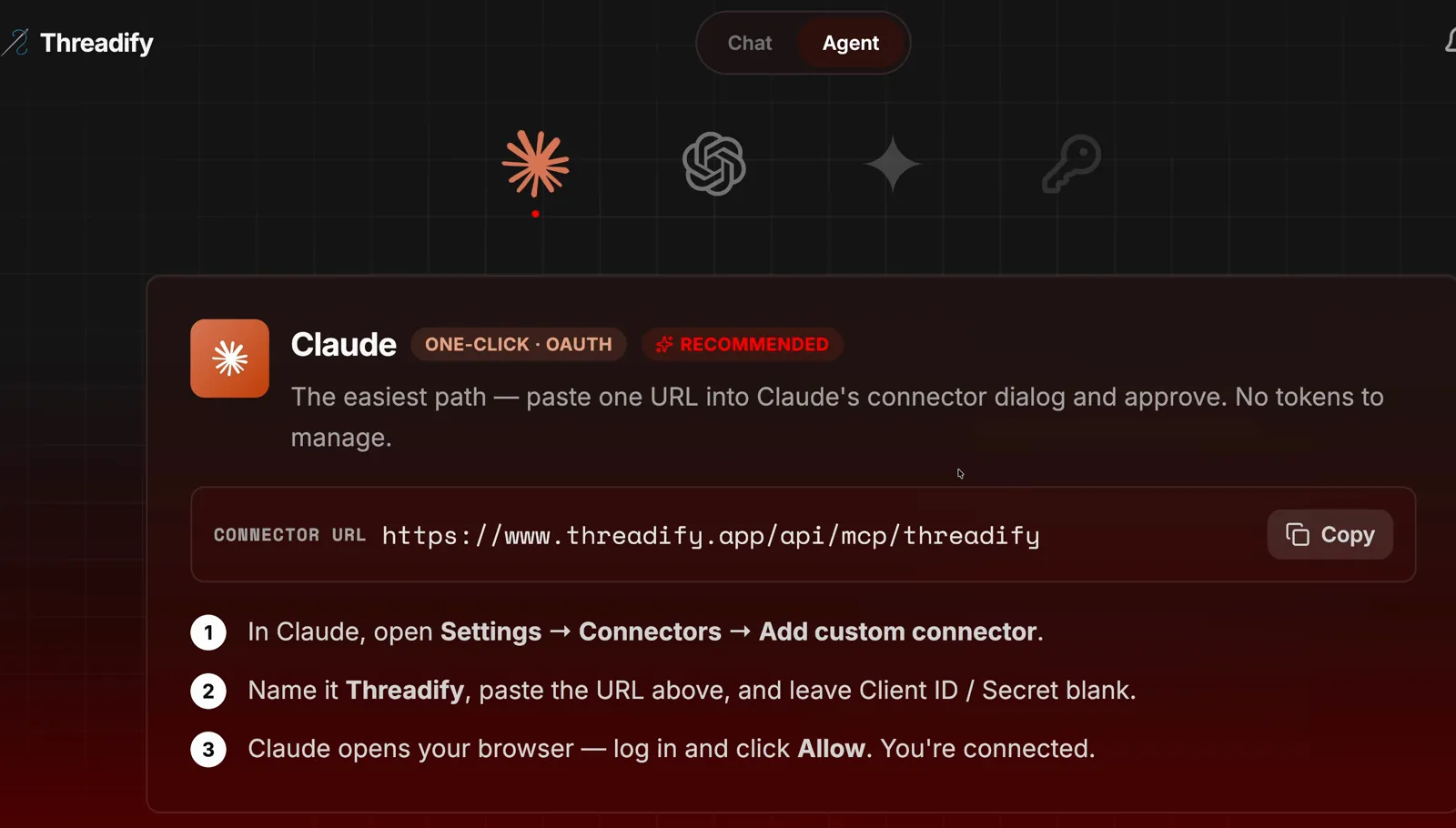
The Agent tab with the Claude card. Notice the Copy button beside the connector URL and the three numbered steps under it.
Step 2: Install the free scheduler test with one message
There's nothing to download or set up yourself. Open a new chat in Claude Code or Codex. If you haven't set either one up with Threadify yet, follow our guides for Claude or Codex first. Then paste this and press enter:
https://github.com/lennoxsaint/Threadify-workflows install this and run Threadify scheduler showdown
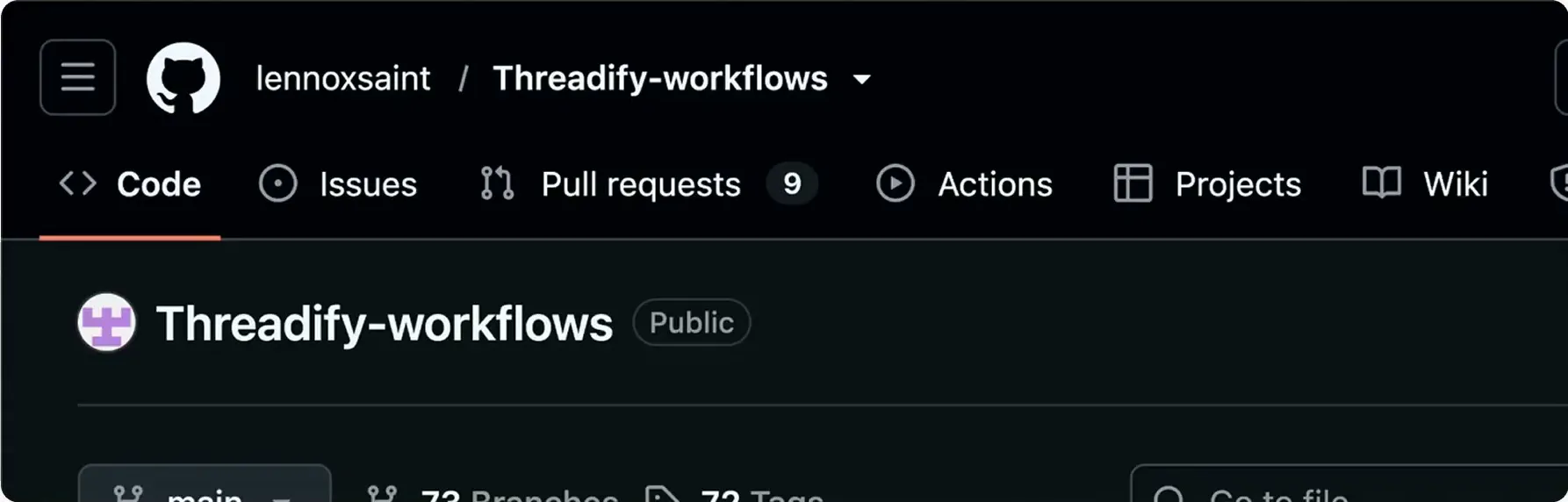
The link goes to the free, public Threadify-workflows page shown below. Your agent reads it, installs the workflows and starts the scheduler showdown, so you don't need to read anything on that page.
Try Threadify for free
Write better Threads in less time. Generate, refine, schedule—without the chaos.
The free, public Threadify-workflows page. Notice the Public label beside the name: this is the page your pasted link opens, and you don't need to read anything on it.
Step 3: See who built the test and which tools your agent found
Before it tests anything, the agent declares its own bias. In the example run, it opened with: "Threadify Workflows are made by Threadify's founder, so this test is built to be checked, not trusted."
Next it checks what's connected. In the example run, it found the account with Threadify connected as a scheduler and noted that no other tools, such as Buffer or Hootsuite, were linked in that session.
Then it asks the question that shapes the test: which schedulers do you pay for? You get a list to choose from, plus Other for any it missed. Anything you pick that isn't connected gets scored no AI connection connected, and the agent gives you the link to connect it.
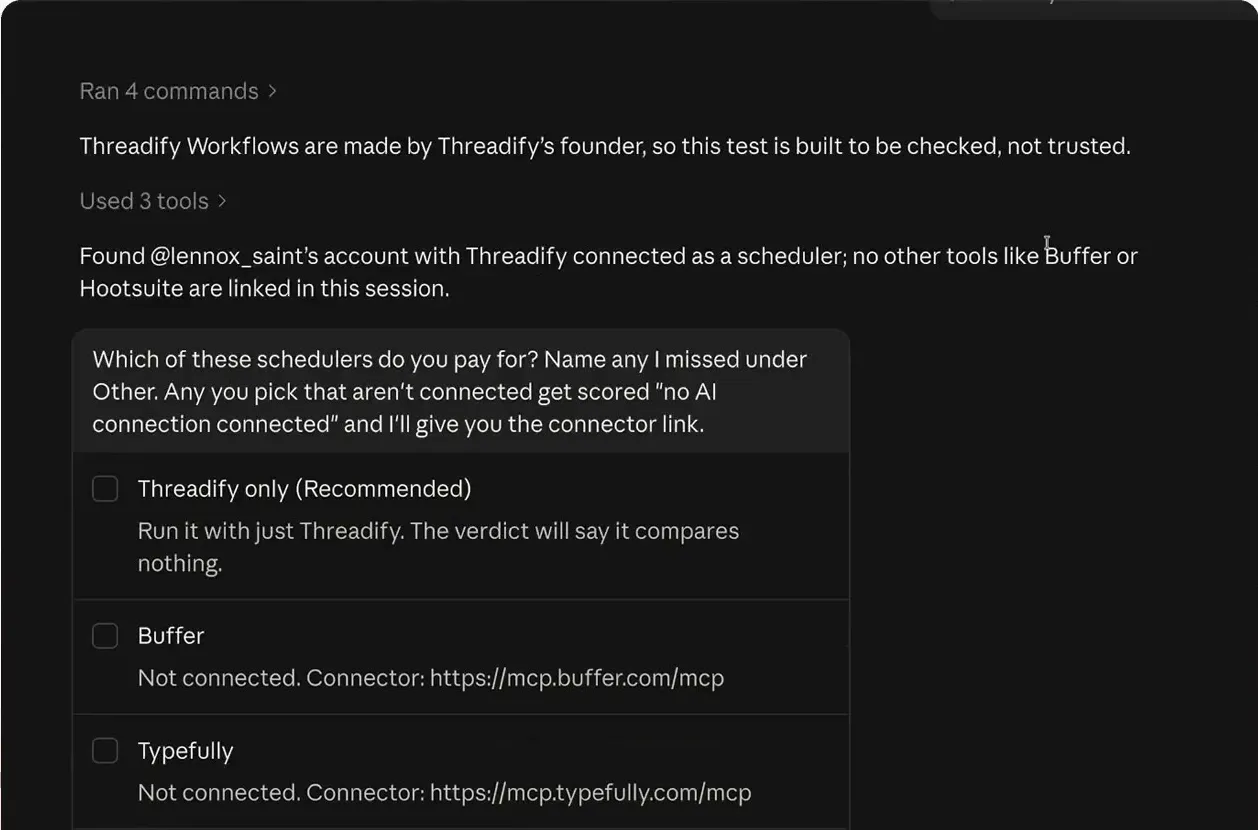
The bias notice, the account check and the scheduler question. Notice the list of options and the note that unconnected tools get scored as having no AI connection.
Step 4: Choose what gets tested: Threadify only, or every tool you pay for
This answer decides what your verdict can tell you. If Threadify is the only scheduler you use, choose Threadify only (Recommended). If you pay for others too, pick them from the list or name them under Other. Connect them first if you want them tested; otherwise they're scored as unconnected.
In the example run, only Threadify was connected, so that was the choice. A short typed note, shown in the screenshot, explained that the other tools were only being shown from their public websites. The agent replied: "Threadify only, so this run compares nothing; I'll still run every step and say so in the verdict."
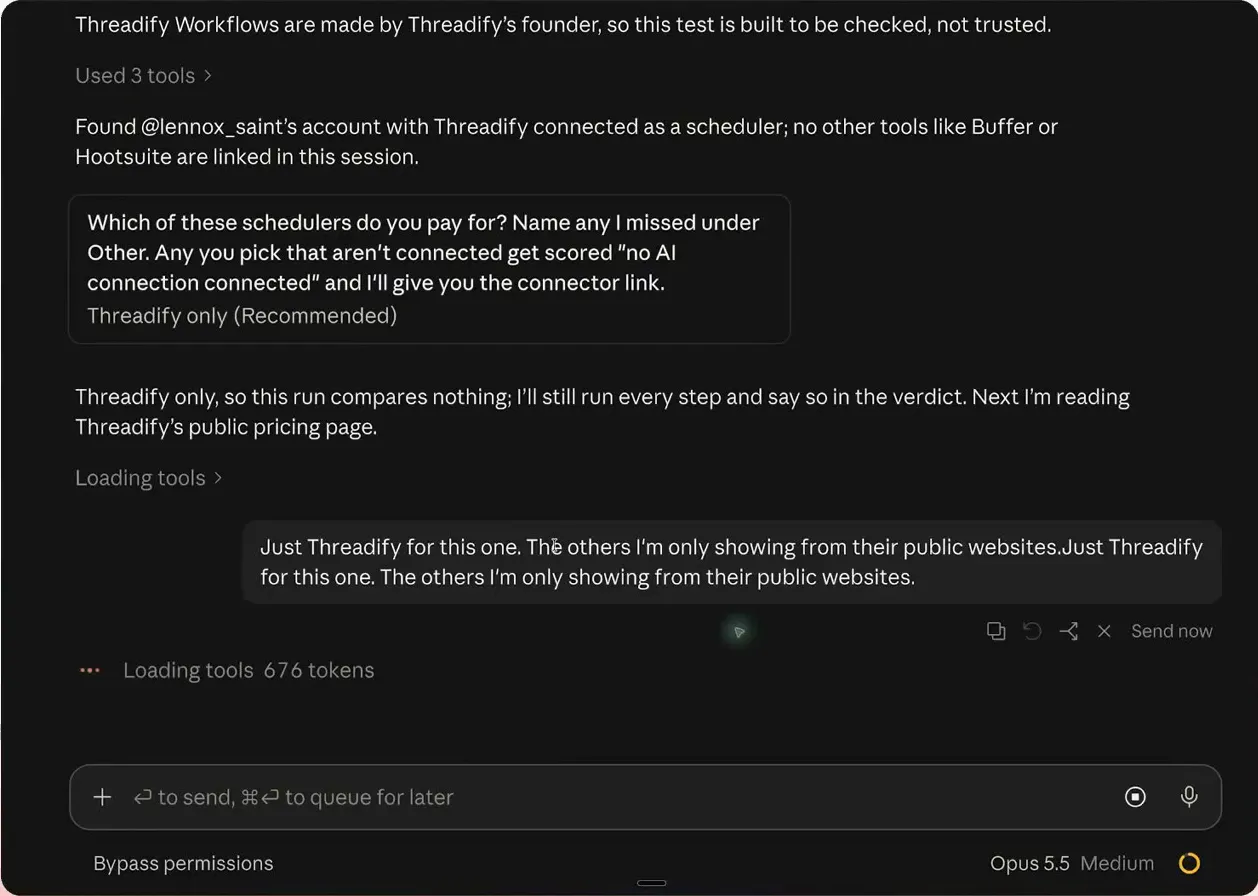
The Threadify-only choice. Notice the agent's reply that this run compares nothing but will still run every step, and the short typed note about the other tools.
What a finished scheduler test gives you
Once you've answered, the agent runs the test. In the example run, it asked Threadify's own tools to find the account's best post from the last 30 days and explain why it worked. The top post had about 41,000 views and 361 likes. The agent then passed that post to Threadify's writing tools to draft the next day's post in the creator's voice, and finished with a verdict.
Because only Threadify was tested, the example run has no scheduler-versus-scheduler scores. With more than one scheduler connected, the workflow is set up to compare what each one produces. The example run doesn't show that part, so judge it on your own run.
Is a scheduler test built by Threadify fair? What to expect from your first run
- It isn't an independent benchmark. Threadify's founder built the workflow, and the agent says so first and asks you to check the results rather than trust them. Read the verdict with that in mind.
- It only compares tools you've connected. Choose Threadify only and the run compares nothing, which the verdict says.
- Tools you haven't connected aren't tested. They're scored no AI connection connected. In the example run, the other schedulers were only shown from their public websites, and a feature missing from a page doesn't mean the tool can't do it.
- The wording may change. Newer versions of the workflow may word the questions or options differently from the screenshots here.
If you use one scheduler and have no plans to switch, there's nothing to compare, and the ranked comparison linked above is a quicker read.
Get a checked verdict on your own account this week
Instead of another feature grid, let your own agent test the tools on your posts and tell you what it could and couldn't check. Step 1 starts in the Agent tab, so open Threadify and connect your agent, then paste the install message from Step 2 into a new chat.
Frequently Asked Questions
Is the scheduler showdown workflow free?+
Yes, Threadify Workflows are free to install. For your agent to use Threadify during the test, you need a paid Threadify plan, because agent connections come with every paid plan.
Which AI agents can run the scheduler test?+
Run it in Claude Code or Codex. Paste the workflows link with the install message into a new chat, and the agent sets it up.
What happens if I pick a scheduler I haven't connected?+
The agent scores it as having no AI connection connected and gives you the link to connect it. Connect it and run the test again if you want that tool actually tested.
Will the test always say Threadify is best?+
The verdict only covers the tools you connected, and if you test Threadify alone, the agent says the run compares nothing. It also tells you up front that Threadify's founder built the workflow, so check the results rather than trusting them.
Try Threadify for free
Write better Threads in less time. Generate, refine, schedule—without the chaos.