
How to Use a Threads Analytics Tool to Stop Guessing and Start Growing
Stop shouting into the void. Learn how to use Threadify’s Growth Insights and performance metrics to identify your best hooks and scale your work instead of the worry.

In this post, you’ll learn:
How to identify the "Key Growth Drivers" that move the needle for your audience.
Why your Threads Streak is the ultimate defense against creator burnout.
How to use the Best Time to Post heatmap to stop shouting into an empty room.
Most creators are shouting into the void, hoping the algorithm picks them up. They jump between 5 different apps just to create one post, only to see it flop. That is the "post and pray" method — a recipe for burnout.
By the end of this post, you will have a repeatable, high-certainty system to turn your raw data into your next viral-ready post.
What is a Threads Analytics Tool?
A threads analytics tool is a core component of a Threads creator workspace that tracks followers, views, engagement rates, and audience demographics. Unlike basic trackers, it provides a "Growth Insights Engine" to identify themes and formats that perform best, allowing you to scale the work instead of the worry.
Core Performance Metrics: Tracking Your Workspace Momentum
To grow on Threads, you need to know your numbers. In a professional Threads creator workspace, you monitor performance over customizable time ranges — from the last 24 hours to the last 90 days.
Key Metrics to Watch:
Followers & Views: These represent your raw reach and workspace momentum.
Engagement Rate: This tells you if people actually resonate with your voice or if you're just generating "AI slop".
Percentage Change: Always compare metrics to the previous period to see if your system is actually improving.
The Threads Streak: Consistency Without the Burnout
Consistency isn’t about discipline; it’s about friction removal. The Threads Streak tracker monitors your current and longest posting streaks.
Watching that number grow builds a "certainty engine" for your content.
Pro-tip: Avoid deleting posts, as it can break your streak and skew your growth data. Instead, use Auto Repost to keep your winners in rotation without the daily scramble.
Growth Insights Engine: Move from Data to Action
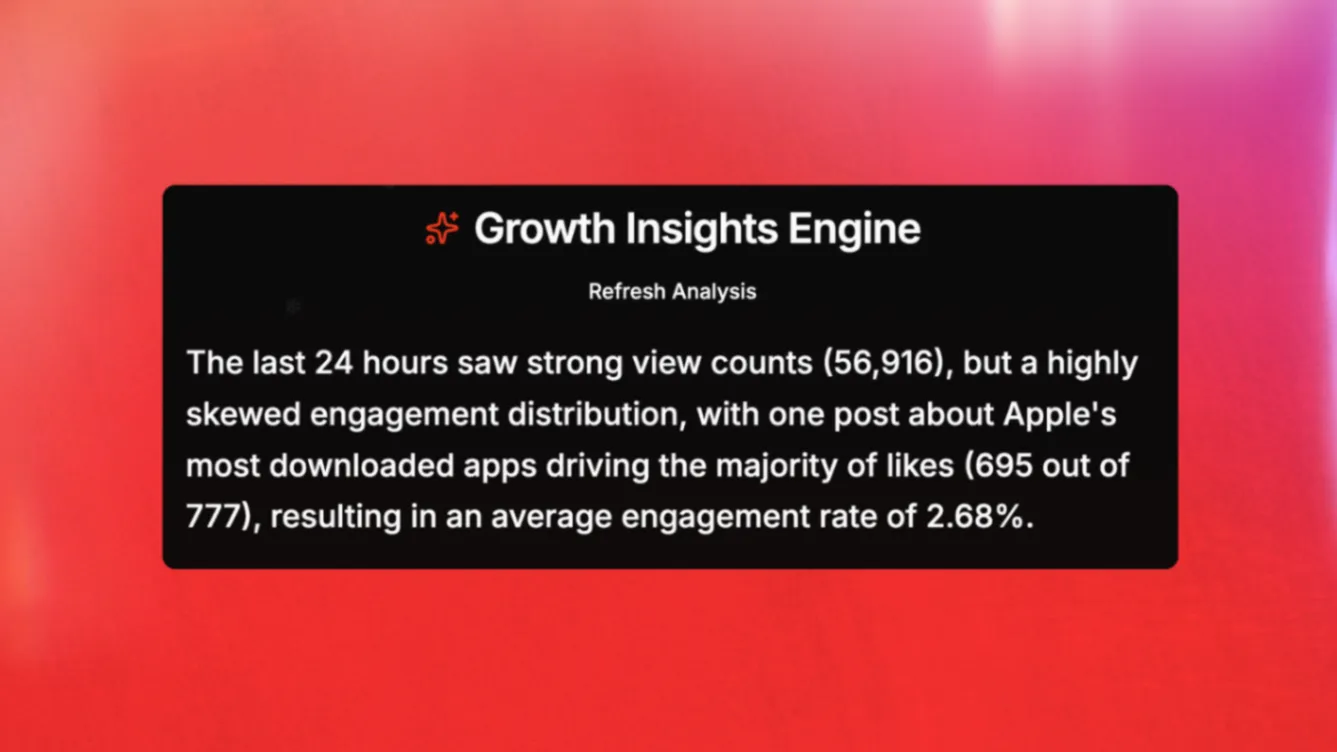
Raw numbers tell you what happened; the Growth Insights Engine tells you why. It analyzes your performance to see if it is polarized — meaning one post went viral while others underperformed.
Identifying Key Growth Drivers
Don't guess what your audience wants. Use the Growth Insights summary to identify the themes and formats that repeatedly hit.
Try Threadify for free
Write better Threads in less time. Generate, refine, schedule—without the chaos.
Winning Themes: Maybe your posts about "workplace frustrations" get 10x more likes than generic tips.
The "Repeat What Works" Loop: Once you spot a pattern, use Craft Viral Post to turn that insight into your next scheduled hit with one click.
Threadify Score Contrast:
Weak Hook: "Here are 5 tips for Threads growth." (Threadify Score: 8/100 —Too generic ).
Fixed Hook: "I spent 3 hours writing a thread that made $0. Here is the system I built so you don't have to." (Threadify Score: 92/100 —High Potential ).
Metrics Comparison: Fixing the Resonance Gap
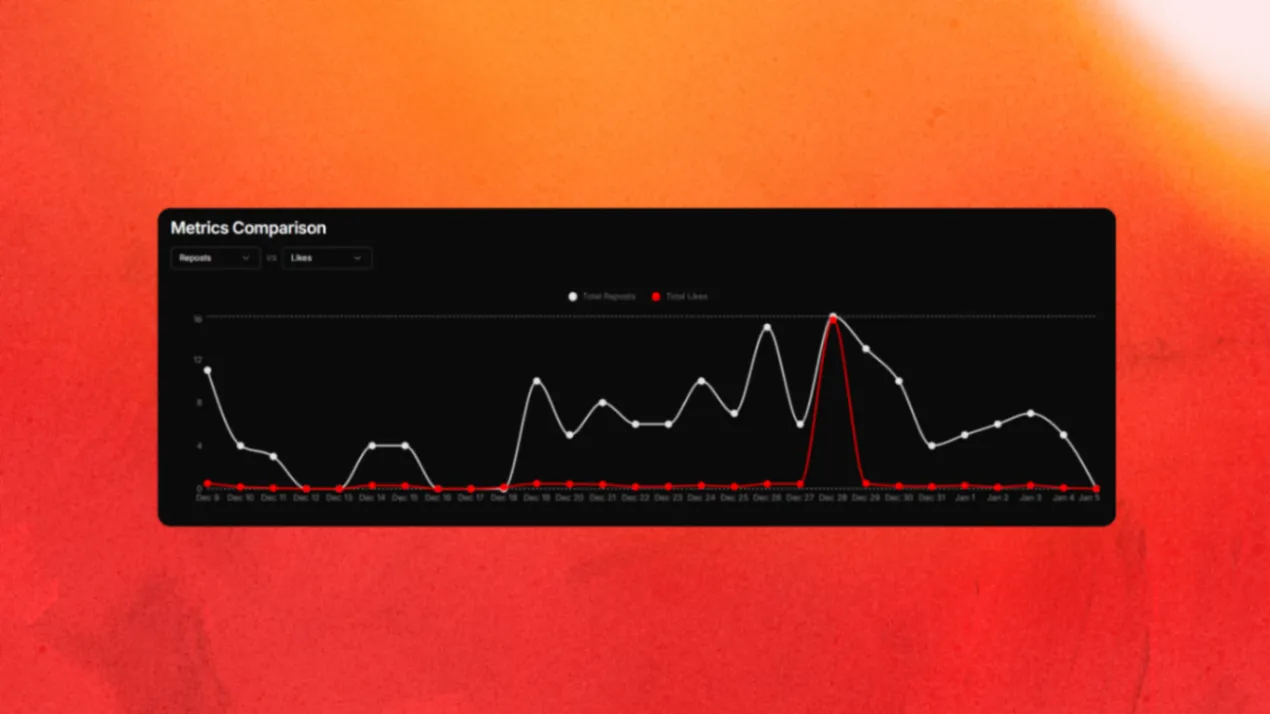
Sometimes your views are high, but your likes are low. This is a resonance problem. Use the Metrics Comparison chart to overlay data points, such as Profile Views vs. Likes, over time.
If you see a spike in views but a lag in engagement, your hook stopped the scroll, but your body content failed to deliver. This is where you Ask Threadify... to refine your draft so it sounds like you, not a robot.
Audience Insights: Knowing Your "Thriends"
Your Thriends Network represents the people who actually engage with your content most. To grow, you must tailor your language to match who is actually listening.
Demographics: Check your Age Range and Gender panels to ensure your references match your dominant segments.
Top Locations: Align your cultural references and posting times with your strongest regions, such as the US or GB.
Finding Your Golden Hour: The Best Time to Post
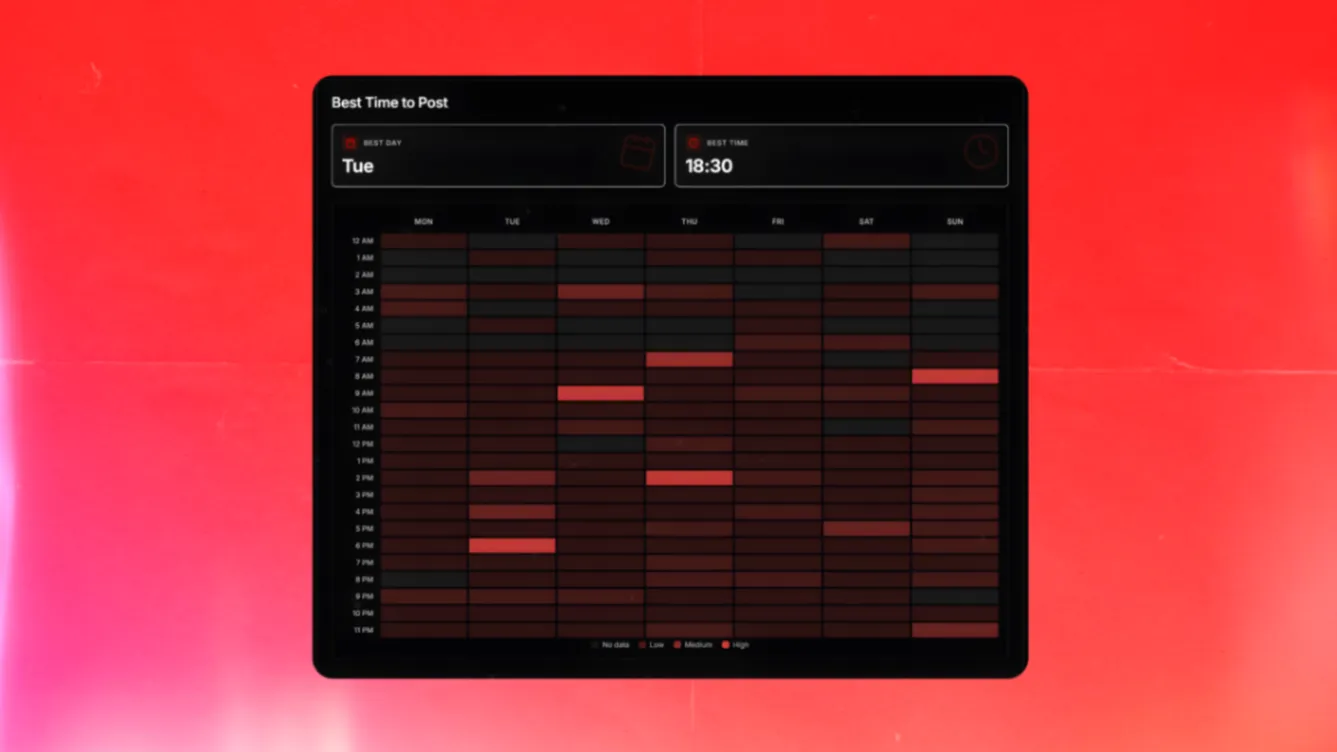
The "best time to post" isn't a vibe — it's a heatmap based on audience behavior.
Identify High-Activity Blocks: Look for the darkest squares on your heatmap to find your "Golden Hour".
Schedule for Peak Impact: Use your Threads creator workspace to schedule posts into those high-engagement windows.
Automate the Conversion: Let Auto Plug handle the selling by dropping a delayed CTA reply only when a post starts "popping off".
Post-Level Analysis: Re-Engineering Success
The All Posts table allows you to scan views, likes, and engagement rates side-by-side for every piece of content.
Sort by top performers to find:
Which hooks effectively stopped the scroll?
Which formats (lists, stories, one-liners) earned the most reposts?
Which posts should be added to your Auto Repost global settings to keep hits alive?
Stop Guessing, Start Scaling
The point of a threads analytics tool isn't just to see more numbers — it's to have less worry. When you know what works, you can use Craft Viral Post to turn those patterns into your next hit with one click.
Stop juggling 5 apps and start using a workspace built specifically for Threads creators.
Related reading: Threads analytics in 2026 · What's a good engagement rate on Threads? · What we learned from 500 viral Threads posts
Frequently Asked Questions
What is a Threads analytics tool?+
A Threads analytics tool tracks followers, views, engagement rates, and audience demographics within a Threads creator workspace. Unlike basic trackers, it includes a Growth Insights Engine that identifies winning themes and formats so you can repeat what works.
What is the most important metric to track on Threads?+
Engagement rate is the best indicator of whether your content builds real community. Views show reach, but engagement rate reveals if people actually resonate with your voice and find your posts worth interacting with.
How do I find the best time to post on Threads?+
Use the Best Time to Post heatmap in your Threads creator workspace. It analyzes when your audience is most active and highlights high-engagement windows. Schedule posts into those peak blocks for maximum impact.
What is the Threadify Growth Insights Engine?+
The Growth Insights Engine analyzes your post performance to identify key growth drivers — the themes, formats, and hooks that repeatedly earn high engagement. It turns raw data into actionable recommendations so you can use Craft Viral Post to create your next hit.
How often should I check my Threads analytics?+
Weekly is enough for most creators. Constant checking leads to algorithm anxiety. A daily Growth Insights summary keeps you informed without the stress, so you can act on trends instead of refreshing numbers.
Does scheduling posts hurt my engagement on Threads?+
No. Scheduling to your Best Time to Post heatmap actually helps — it ensures your content hits the feed when your most engaged followers are active, which lifts early reply velocity.
Can I see who my most engaged Threads followers are?+
Yes. The Thriends Network maps your most engaged people over customizable 7-to-90-day windows, so you know exactly who to prioritise in replies and DMs.
Try Threadify for free
Write better Threads in less time. Generate, refine, schedule—without the chaos.