
How to Update Your Threadify Knowledge Base: The Complete Creator Guide
Tired of "AI slop"? This guide shows you how to connect your docs and manage facts in Threadify to ensure your Threads content stays authentic and on-voice.

In this post, you’ll learn:
How to sync your Google Drive and Notion documents to your workspace.
The exact workflow for managing persona facts to eliminate 'AI slop'.
How to use your Knowledge Base to draft content that sounds like you, not a robot.
The biggest mistake creators make with AI isn’t the prompt; it’s the source. Most tools treat you like a stranger every time you start a new draft. You end up spending more time editing out generic "robot speak" than you would have spent writing from scratch.
Threadify is different because it is a Threads creator workspace. By grounding the AI in your actual documents and facts, you stop starting from zero every day. You aren't just using a tool; you are building a "certainty engine" for your content.
By the end of this post, you will have a fully optimized, up-to-date knowledge base for creators that turns rough ideas into high-potential Threads posts in seconds.
What is a Knowledge Base for Creators?
A knowledge base for creators is a centralized digital repository of facts, beliefs, and documents used to ground AI in a specific individual's unique voice and expertise to ensure outputs remain authentic and "anti-slop".
In the Threadify ecosystem, this is the "brain" of your workspace. It allows you to Ask Threadify... to draft posts based on your existing notes and story, rather than generic internet data.
Step 1: Connecting Your External Knowledge Sources
Your knowledge base is only as good as the data you give it. Threadify allows you to connect your existing documentation directly to your workspace.
Connecting Google Drive and Notion
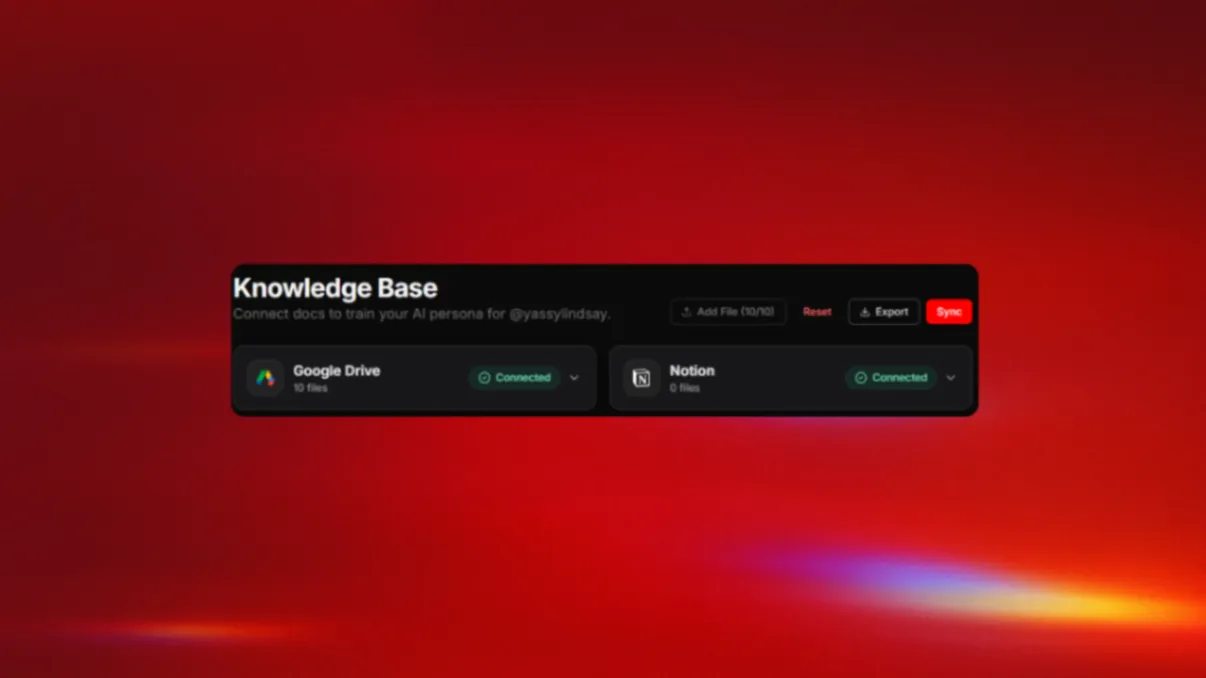
To start, navigate to the Knowledge section in your left navigation menu.
Sync your accounts: Connect your Google Drive or Notion if they are not already linked.
Select your files: Pick the specific documents that contain your best ideas, core offers, or unique frameworks.
Respect your plan limits: Your plan determines how many files you can sync:
Creator ($19/mo): 10 files.
Founder ($99/mo): 50 files.
Then hit Sync, and see what Facts it pulls from your knowledge files.
Managing and Refreshing Files
If you have updated a document in your source apps, you need to refresh the connection. Review the list of connected files in your Knowledge Base to see what is currently in use. Use the Reset or Sync options to ensure your AI persona is learning from your latest thinking.
Step 2: Fine-Tuning Your Persona with Facts
Files provide the context, but Facts provide the nuance. Inside the Knowledge Base, you can add short, punchy statements that define who you are and how you think.
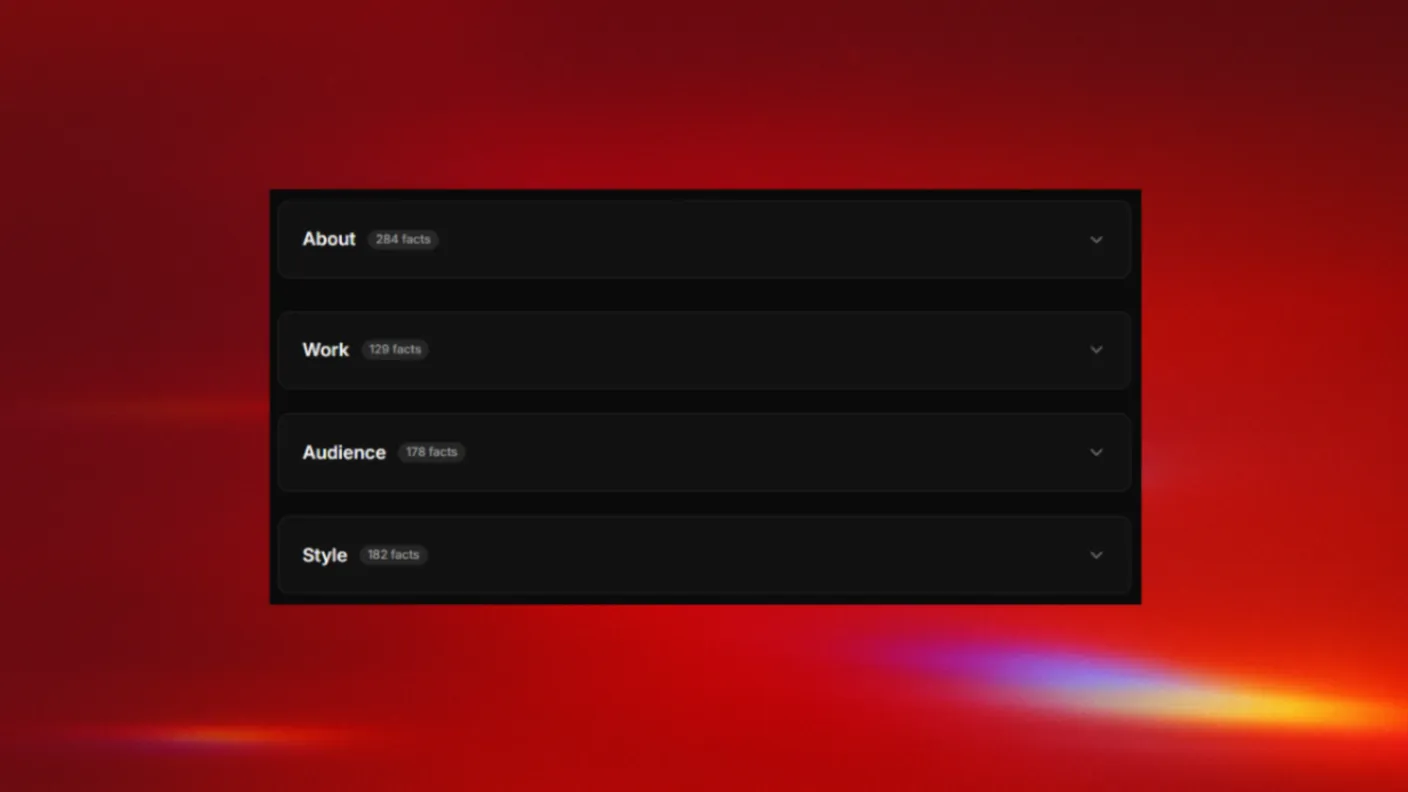
Organizing Fact Groups
Threadify organizes these into structured buckets so the AI knows where to pull specific information:
Try Threadify for free
Write better Threads in less time. Generate, refine, schedule—without the chaos.
About: Your story, your values, and your background.
Work: Your products, your services, and your unique "why".
Audience: Who you talk to and the specific problems you solve for them.
Style: Your tone preferences—keep it friendly, blunt, and helpful.
How to Write a "Good" Fact
Stop writing like a SaaS robot. Write like you speak:
Weak Fact: "Our organization provides high-quality consulting."
Good Fact: "I help creators stop guessing on Threads and start building systems that sell."
Your knowledge base works best when it uses your actual language. If you are on the Founder plan, you have unlimited facts — use them to map out every detail of your brand.
It doesn't stop there... With each post you schedule or publish, your Knowledge Base grows stronger, gathering facts from your writing automatically so that it learns with you.
The more you use the app, the more personalized your writing gets.
Step 3: The "Threadify Score" Contrast
A grounded knowledge base isn't just about "feeling" authentic; it is about measurable quality. Before you publish, you should check your Threadify Score.
The Quality Gap
Without a Knowledge Base (The 2.5/100): "In the fast-paced world of digital media, it is crucial to leverage synergistic platforms to unlock your brand's potential."
Verdict: AI slop. Generic, vague, and boring.
With an Updated Knowledge Base (The 78.5/100): "Creator burnout isn't from creating.
It's from the admin.
The average creator juggles:
→ Notion for ideas
→ Canva for graphics
→ A scheduler to post
→ Another tool for sales
→ The actual platform
Your best ideas are dying in a sea of browser tabs.
Verdict: High Potential. Blunt, helpful, and sounds like you.
Step 4: Keeping the AI Up to Date
Your brand evolves, so your knowledge base must evolve with it. When your offers or strategy shift, update your synced docs and your facts immediately.
Regular Pruning: Delete any facts that no longer reflect your positioning.
The Activation Loop: Use Growth Insights to see what is working, then update your Knowledge Base to double down on those themes.
Start Your Trial, Stay Human
Stop fighting with tools that don't know who you are. A knowledge base for creators is the difference between sounding like a robot and sounding like yourself at scale.
Your Threads workspace is waiting.
Related reading: 10 things to put in your Threadify Knowledge Base · Set up Threadify to sound like you · AI slop is a choice: use a Knowledge Base
Frequently Asked Questions
What is a Knowledge Base for creators?+
A Knowledge Base for creators is a centralized repository of your documents, facts, and beliefs that grounds AI drafting in your unique voice and expertise. In Threadify, it connects to Google Drive and Notion so every draft starts from your actual ideas, not generic internet data.
How do I connect Google Drive or Notion to Threadify?+
Navigate to the Knowledge section in your workspace, click to sync your Google Drive or Notion account, then select the specific documents you want to use. The Creator plan allows 10 files and Founder allows 20.
How do I write good facts for my Threadify Knowledge Base?+
Write facts the way you actually speak. Instead of corporate language like "Our organization provides consulting," write something specific like "I help creators stop guessing on Threads and start building systems that sell." Organize facts into About, Work, Audience, and Style categories.
Why does my AI content sound generic without a Knowledge Base?+
Generic AI tools treat you like a stranger every session. Without your documents and facts connected, the AI pulls from broad internet data instead of your unique perspective. A Knowledge Base anchors every draft to your real ideas, producing content that sounds like you instead of AI slop.
Why use a Knowledge Base instead of a generic AI tool?+
Generic AI treats you like a stranger every session. Threadify is a Threads creator workspace that combines your Knowledge Base with scheduling, analytics, and conversion loops like Auto Plug and Auto Repost — so every draft starts in your voice.
What counts as an AI generation in Threadify?+
Every time the AI writes or edits a post, thread, or reply using your Knowledge Base counts as one generation. Most creators use 5–15 per day.
Is my data safe if I connect Google Drive?+
Yes. Threadify only syncs the specific files you select to ground your drafts — nothing else from your Drive is accessed.
Try Threadify for free
Write better Threads in less time. Generate, refine, schedule—without the chaos.