
Get Your First Threads Followers by Welcoming Newcomers With AI
Nobody follows you yet, so nobody sees your Threads posts. Your AI agent finds other newcomers, drafts comments in your voice and follows them. You edit and post every comment.

You finally post the thing. You rewrote the opening line three times, checked it once more and pressed post. Then nothing. No replies, barely any views, and the only repost is your own. An hour later it's still quiet, and every new post starts to feel like talking to an empty room.
Nobody follows you yet, so nobody sees what you post. The head of Threads has also said the feed now shows more posts from accounts people already follow, so waiting to be found gets even slower. With no followers, you have to go and meet people.
This guide is for creators starting or restarting on Threads with a small, quiet account. You'll set up your AI agent to find other newcomers in your niche, draft comments in your voice and follow each person at the right moment. You read and post every comment yourself.
Why welcoming other newcomers gets you noticed on Threads
Here's the routine. Search Threads for people posting their "first thread", or who are just starting out at about your size. Comment on their two or three newest posts and follow them after the second comment. On the third, welcome them to Threads and end with "just followed you!"
The order matters. Following people straight away didn't work well, and neither did leaving one comment and then following. Turning up a few times with something genuine to say did. Picture walking into a party where you only know the host, and a stranger comes over to welcome you. You'd remember them. When someone notices you've done something for them, they usually want to return the favour.
For the reasoning behind replying more than you broadcast, read why the creators who talk back win on Threads. For wider beginner tactics such as hooks and daily posting, see how to grow on Threads as a beginner.
What you need before you start
- A Threadify account with your Threads account connected. Agent connections come with every paid Threadify plan.
- An AI agent app. The example run used the code section of the Claude desktop app, and you don't need to know any code. ChatGPT works too.
- Your niche in a few words, for example "AI tools for creators". If you're not sure yet, find your Threads niche from posts you've already written first.
- Time to stay with it. You'll read and post each comment yourself, so don't start a batch on your way out the door.
How to get your first Threads followers with your AI agent (7 steps)
Step 1: Connect Threadify to your AI agent
This lets your agent read your voice and work with your Threadify account. In Threadify, open the Agent tab at the top and scroll to the setup instructions at the bottom. On the Claude card, press Copy. In Claude, open Settings → Connectors → Add custom connector, name it Threadify, paste the link and leave the Client ID and Secret boxes empty (you don't need them). Claude opens your browser, where you log in and click Allow.
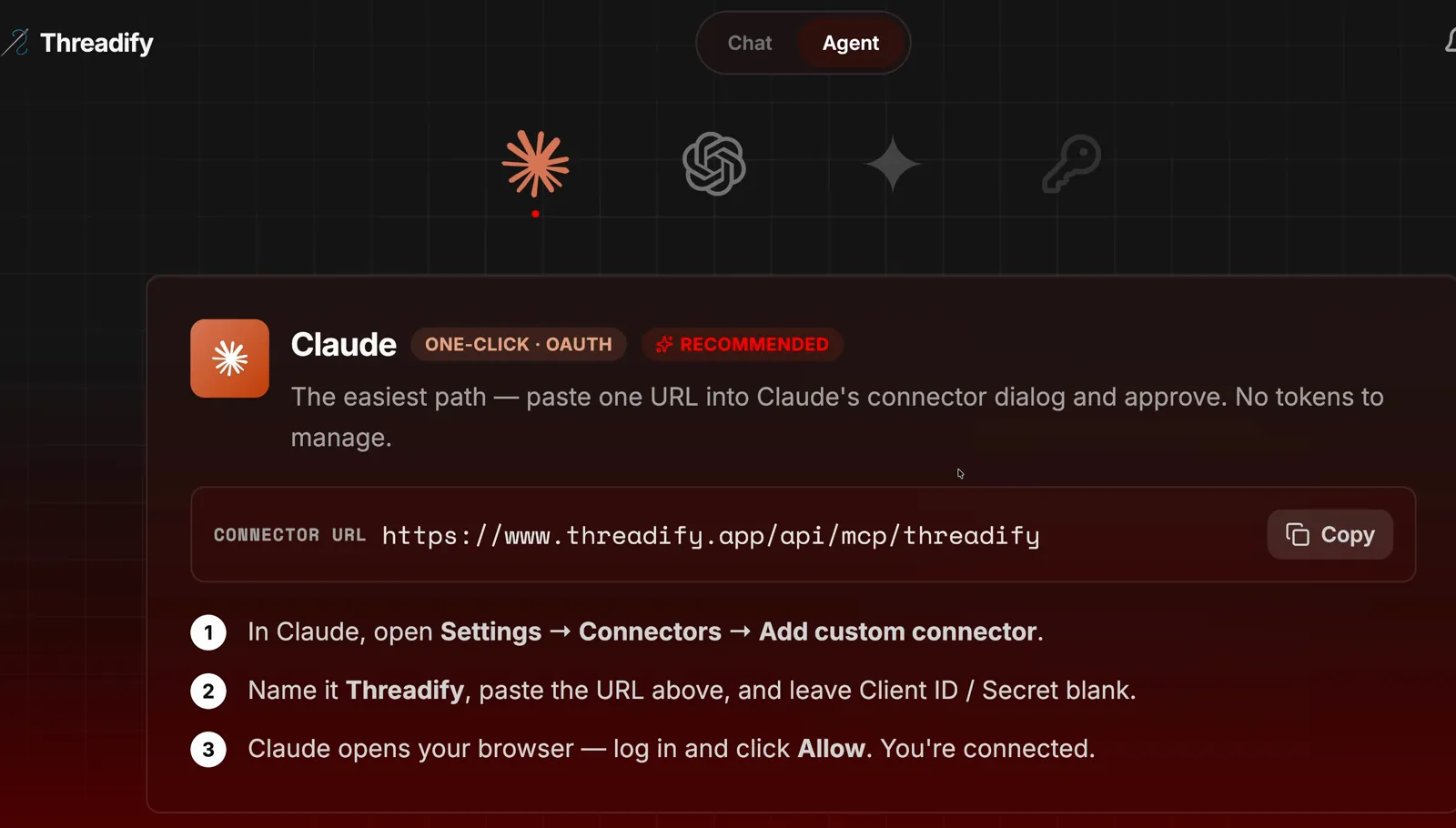
The Agent tab's Claude card. The Copy button and the three numbered setup steps are all you need.
For a fuller walkthrough, follow the step-by-step guide to connecting Claude to Threads.
Step 2: Install the free First Followers workflow with one message
One message installs the free workflows and starts the run. Open a new chat in your agent, paste this and press enter:
github.com/lennoxsaint/threadify-workflows install this, get set up and then run First Followers
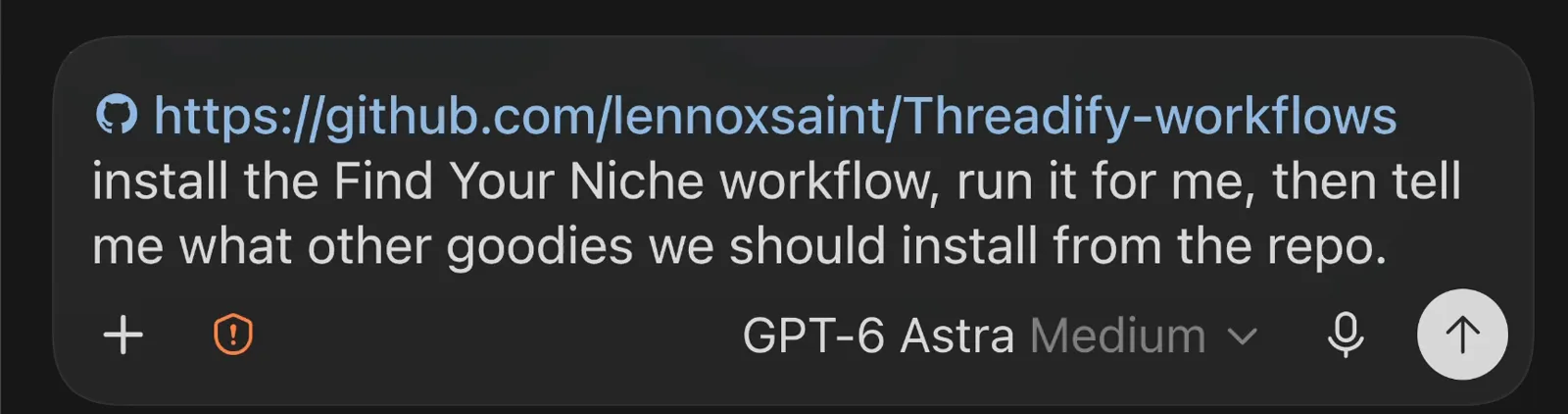
The same paste-the-link step, here installing a different workflow. Your message names First Followers instead.
Step 3: Run First Followers with your handle, niche and how many people to find
One sentence tells the agent who you are, what you post about and how many people to reach. Type a request like the one in the screenshot below, using your own handle, niche and number. The example run asked for 10 people in AI tools for creators.
Try Threadify for free
Write better Threads in less time. Generate, refine, schedule—without the chaos.
The agent first reads how you write from the voice profile Threadify keeps for you (called your Brain). In the example run it summed that voice up as "short, direct, no emojis, no dashes, all lowercase". Then it set out its plan: read your voice, search Threads for the 10 people, draft the comments and check them, then show you the list and wait for your yes.
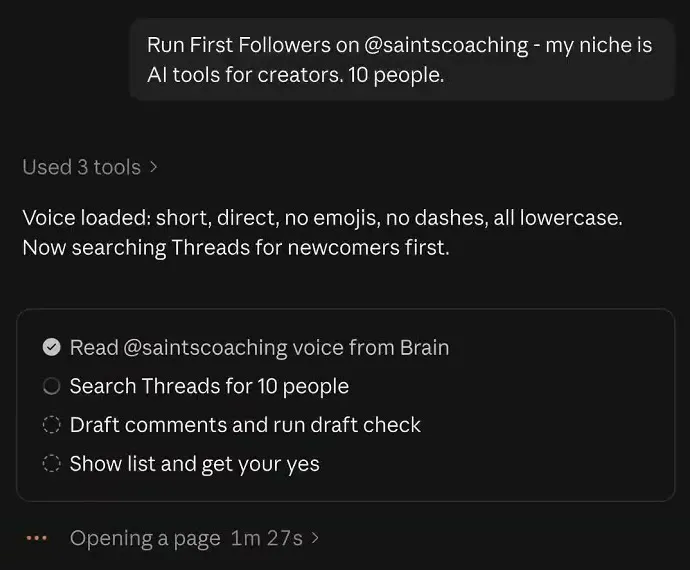
The whole request in one sentence. Notice the "Voice loaded" summary and the plan, which ends with "get your yes".
Step 4: Let it find newcomers and skip the accounts that don't fit
You end up with a shortlist of people who are new and about your size, and you can see why anyone was left out. The agent searches Threads with a few different search terms. Partway through the example run it reported "6 solid picks so far" and two skips: an account that looked like a teen's and a big brand-style page. Then it went looking for four more.

The progress note. Check the reason given for each skip.
Once it had all 10, it drafted the comments and ran a check on every draft before showing you the list. The example run finished with 26 comments for 10 people, all passing the check, and nothing typed, followed or posted yet. So some people get two comments rather than three.
Step 5: Say yes, then check the staged reply before it posts
No comment goes out until you've read it. The agent asks whether to stage the comments and do the follows for this batch. The same yes covers both, so look over who it picked before you answer.
Then the agent opens the first person's post and types its draft into the reply box without sending it.
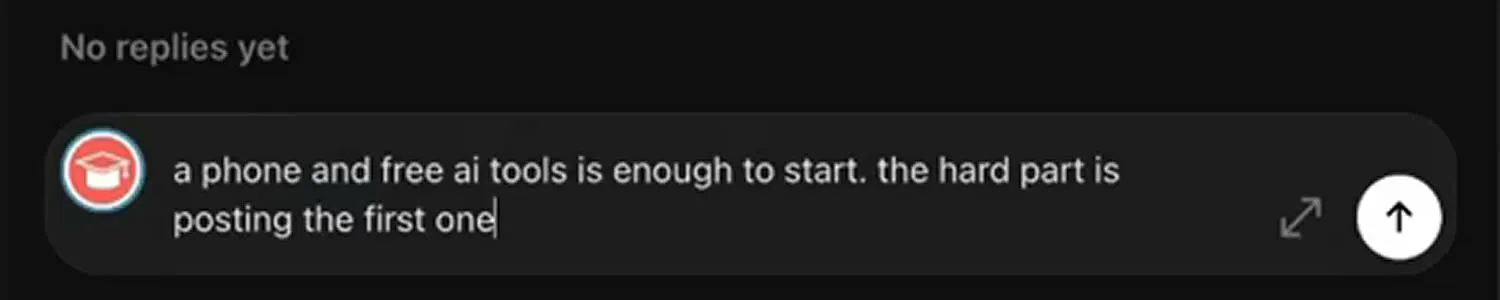
Notice the draft is typed into the reply box but not sent. The post button is still yours to press.
Step 6: Edit the draft in your own words, then publish
Your edits are what make the comment sound like you. Change the draft until it reads like something you'd say, then press post yourself. In the example run the draft was all right, and one line added to the end made it sound more like the account owner: "but imposter syndrome can be so real man".
After you post, the agent confirms the reply was published, notes the line you added and moves on to the next post.
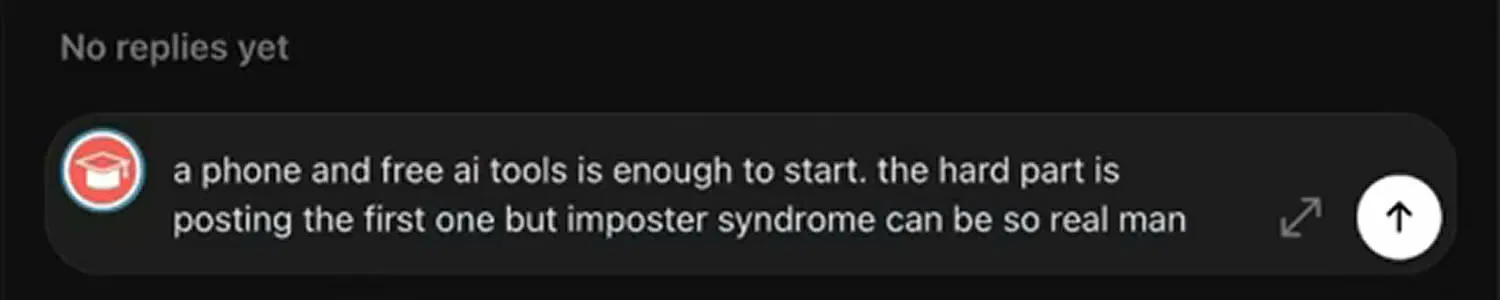
Notice the line added at the end by hand: "but imposter syndrome can be so real man".
Step 7: Let it follow, then stage comment three that ends "just followed you!"
Once your second comment on someone's posts is published, the agent follows that person. Then it stages a third comment that tells them you've followed. In the example run, that comment called the person "a kind heart without judgement" and signed off with "just followed you!" Edit it if you need to, post it, and the agent moves on through the rest of your list.
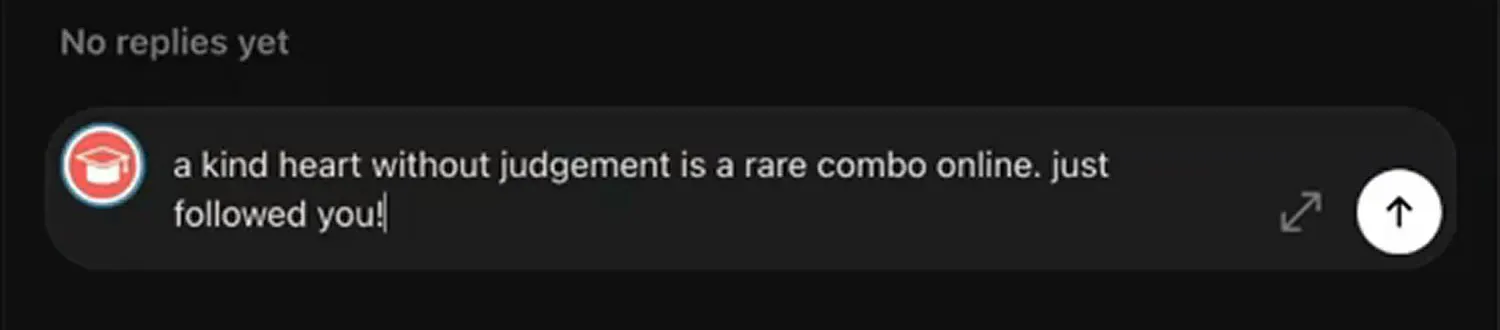
Notice the closing line, "just followed you!". Edit it before you post.
Will this actually get people to follow you back?
There's no promised follow-back rate. One creator reported an 80% follow-back rate when they used this routine in 2023. Treat that as a single result, not a promise: whether anyone follows back is up to them. What the routine gives you is real conversations with people at your stage.
A few things to know before your first batch:
- Check who the agent picked. Deciding that an account looks like a teen's or a brand page is the agent's judgement, so look over the list before you say yes.
- Read every comment before it goes out. The agent stages each one and you press post, so change any draft that says something you wouldn't.
- It needs a working setup: Threadify signed in, Threads connected and your agent app connected to Threadify.
- It needs you there. If you want growth without reading and posting comments yourself, this routine isn't for you.
- It's meant to be repeated. Search for newcomers again on another day and run a fresh batch.
Welcome your first newcomers this week
Open Threadify to connect your Threads account and your AI agent, the setup this workflow needs. Then paste the install message from Step 2 and run First Followers on your first 10 newcomers.
Frequently Asked Questions
Will the agent post comments on Threads without me?+
No. The agent types each comment into the reply box and stops there. You read it, edit it if you want, and press post yourself. Follows work differently: your yes to the batch covers them, and the agent follows each person after your second comment.
Can I run First Followers in ChatGPT instead of Claude?+
Yes. The workflow runs in an AI agent app such as the Claude desktop app or ChatGPT. Connect your agent using the setup instructions at the bottom of Threadify's Agent tab, then paste the same install message.
Do I need to know how to code?+
No. You paste one link with a short sentence to install the workflow, then type your request in plain words. The example run used the code section of the Claude desktop app, but you never write any code.
Is the First Followers workflow free?+
Yes, the workflow is free. Your agent connects to Threadify to read your voice, and agent connections come with every paid Threadify plan.
What should I put as my niche?+
A few plain words about what you post, such as "AI tools for creators". If you're not sure, run the free niche finder workflow on your existing Threads posts first.
Try Threadify for free
Write better Threads in less time. Generate, refine, schedule—without the chaos.